Create your WordPress site with AI in 60 seconds.




























With the Calendar feature included in your FastPanda Business Email service, you can create multiple calendars for different purposes. For example, you can organize your work meetings, personal schedules, and team events into separate calendars for easier management.
Follow the steps below to create a new personal calendar.
- Log in to your webmail account using the following address:
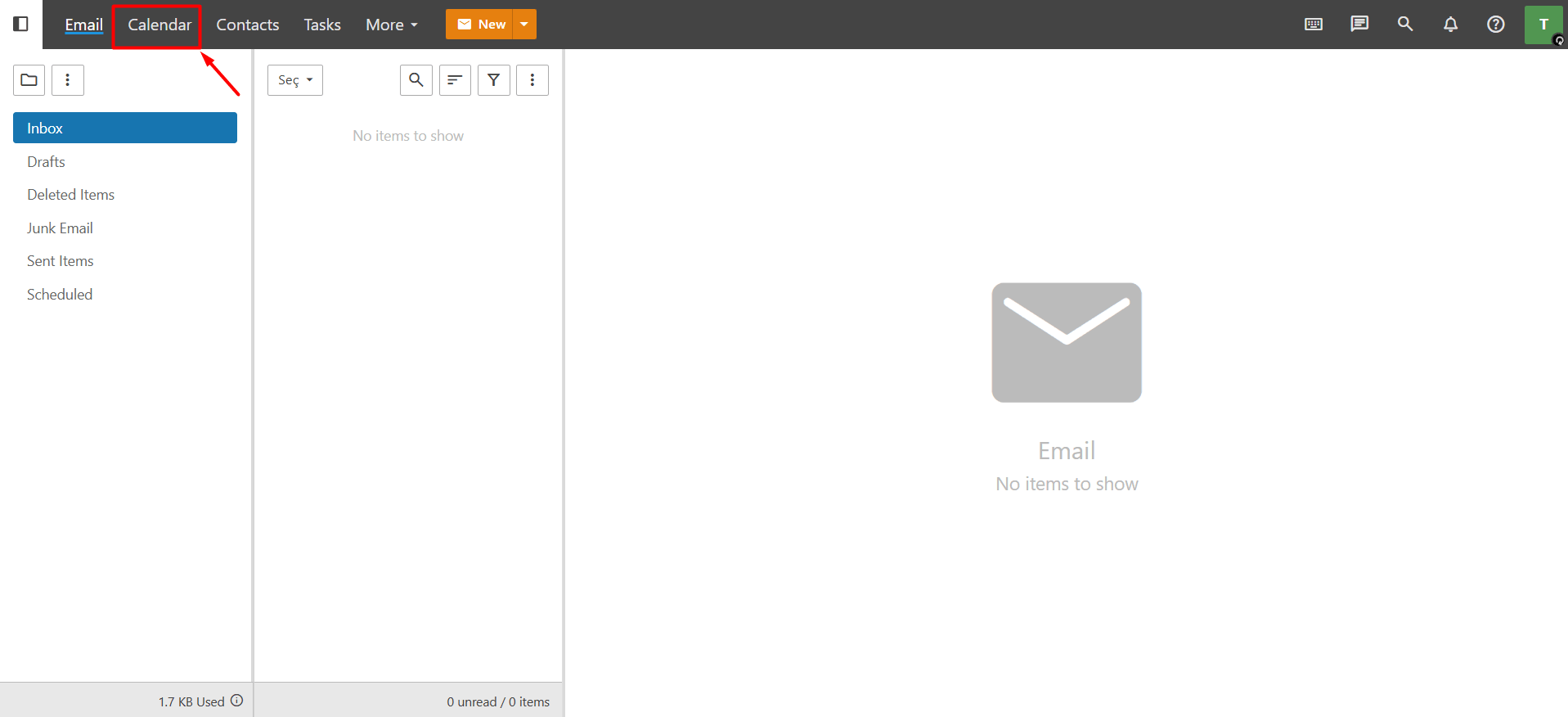
https://webmail.domain.extension (replace with your own domain name). - After logging in, click the “Calendar” button in the top menu.
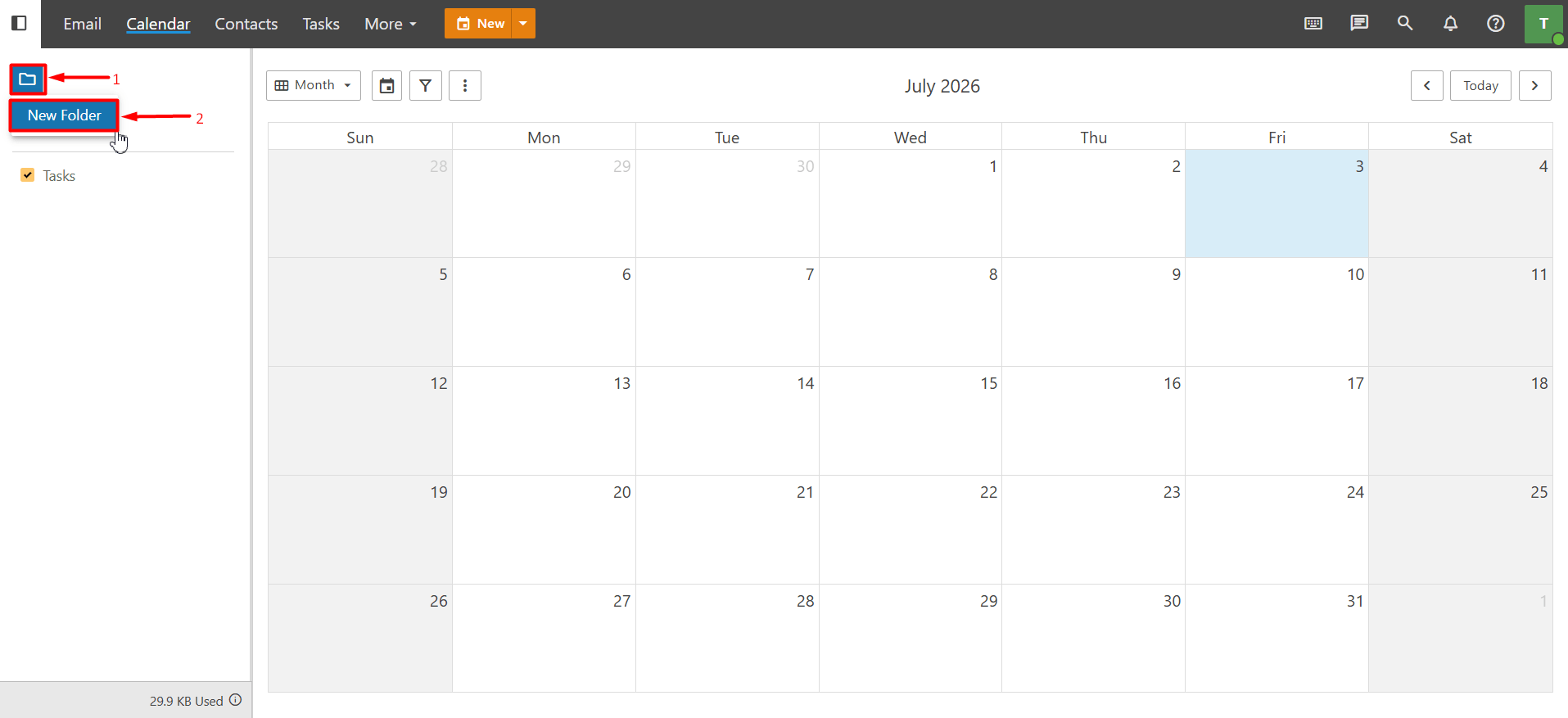
- Click the “Folder” icon on the left side of the screen, then select “New Folder” from the menu that appears.
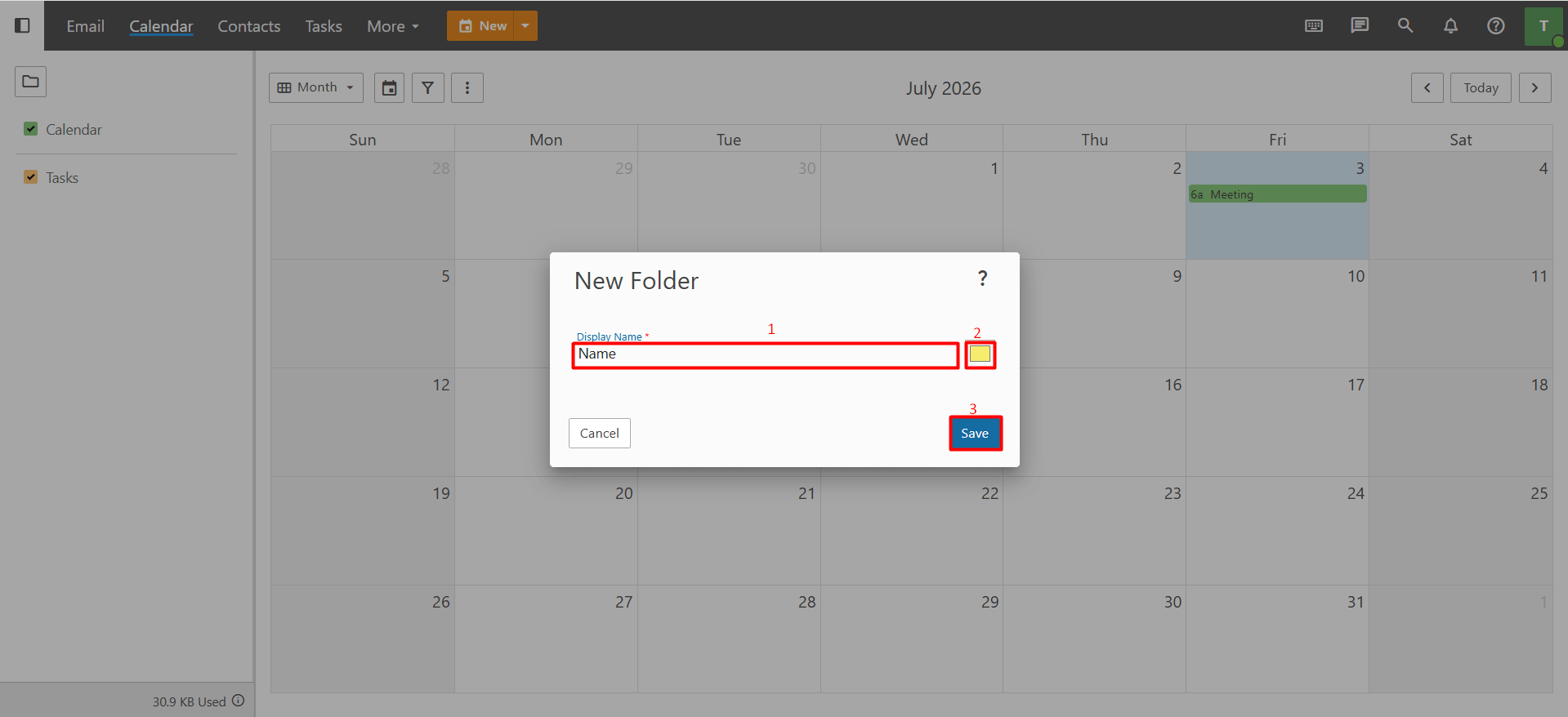
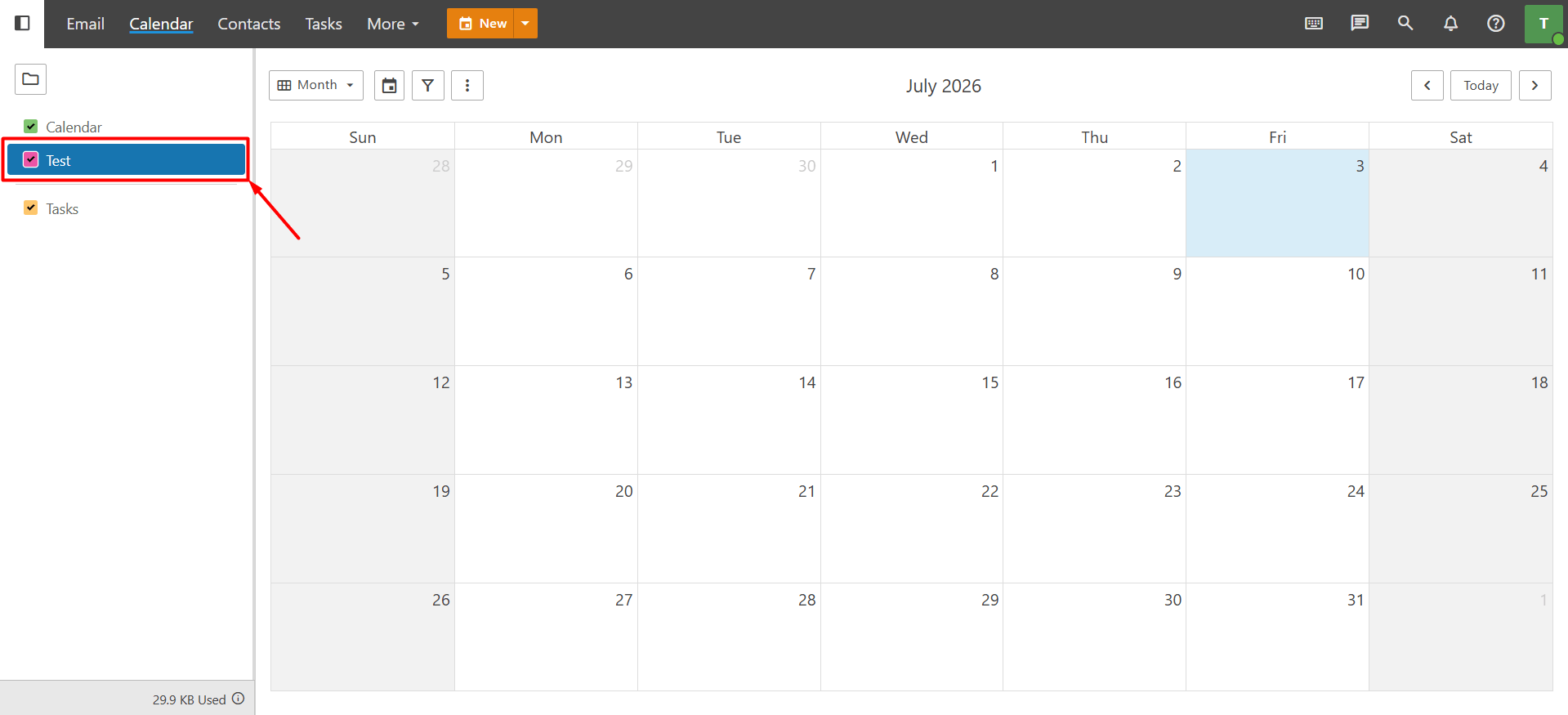
- Enter a name for your calendar. If you wish, you can also choose a color for it. Using different colors makes it easier to visually distinguish between your appointments and tasks. Once you’re finished, click “Save” to create the calendar.