Create your WordPress site with AI in 60 seconds.




























If you actively use the Notes area in Business Email and have created a large number of notes, it may become difficult to find specific information over time. In this case, you can use the search feature to quickly access your notes.
- Access your webmail at https://webmail.domain.extension (adjust according to your own domain).
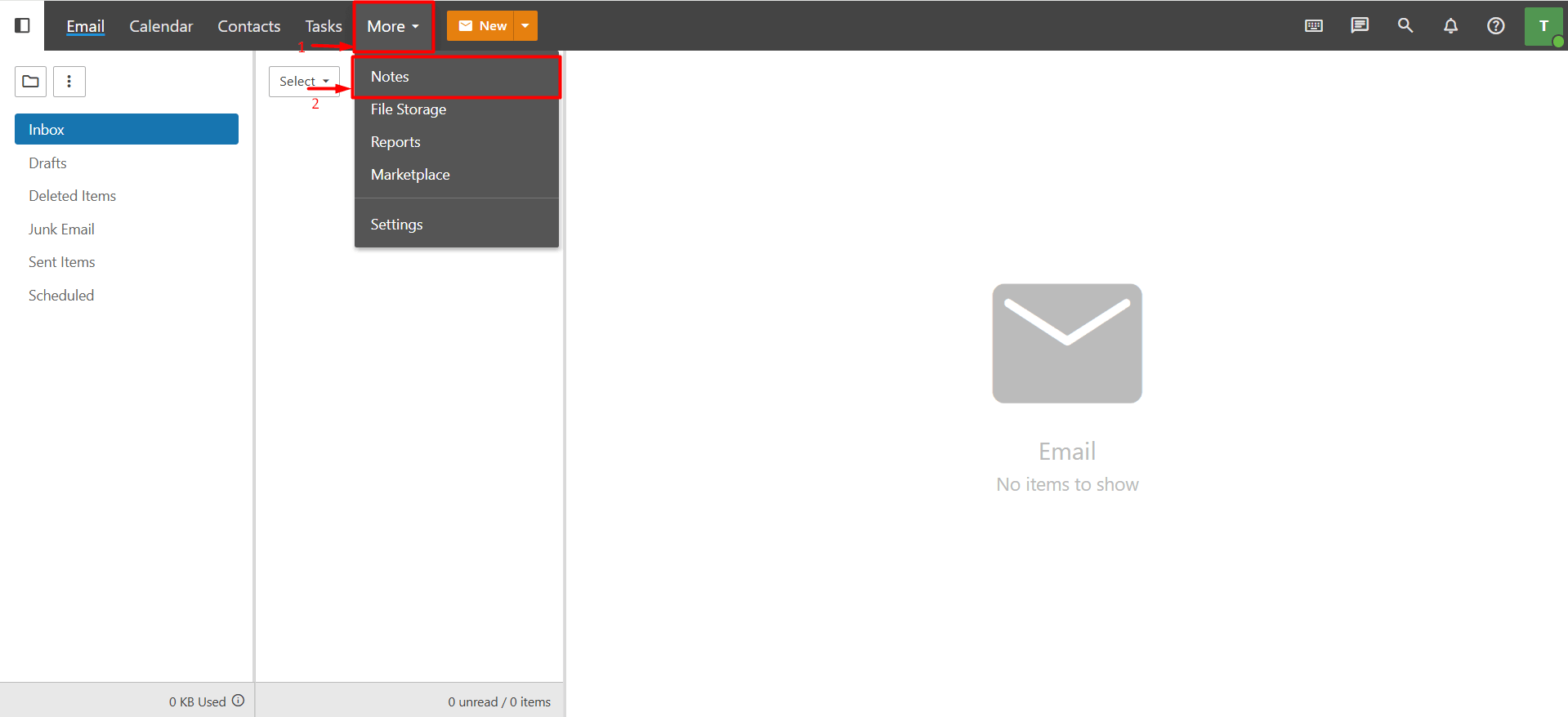
- When you log in to webmail, go to “More > Notes”. On the page that opens, you can view the notes you have added.
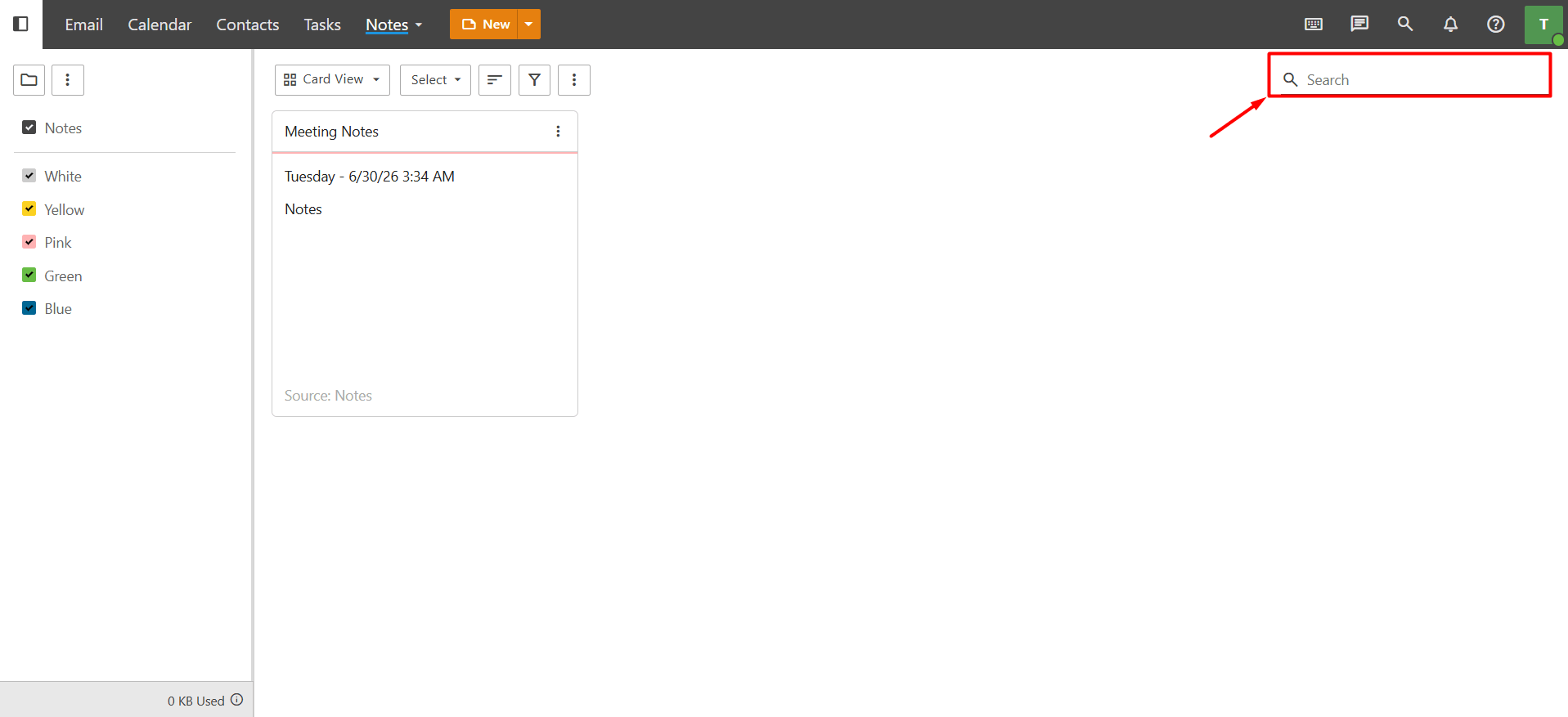
- Type the keyword or note title you want to search for into the ‘Search’ field located in the upper right section of the page, then press “Enter” or click the magnifying “glass icon”. The system will then automatically list the notes containing the relevant keyword.
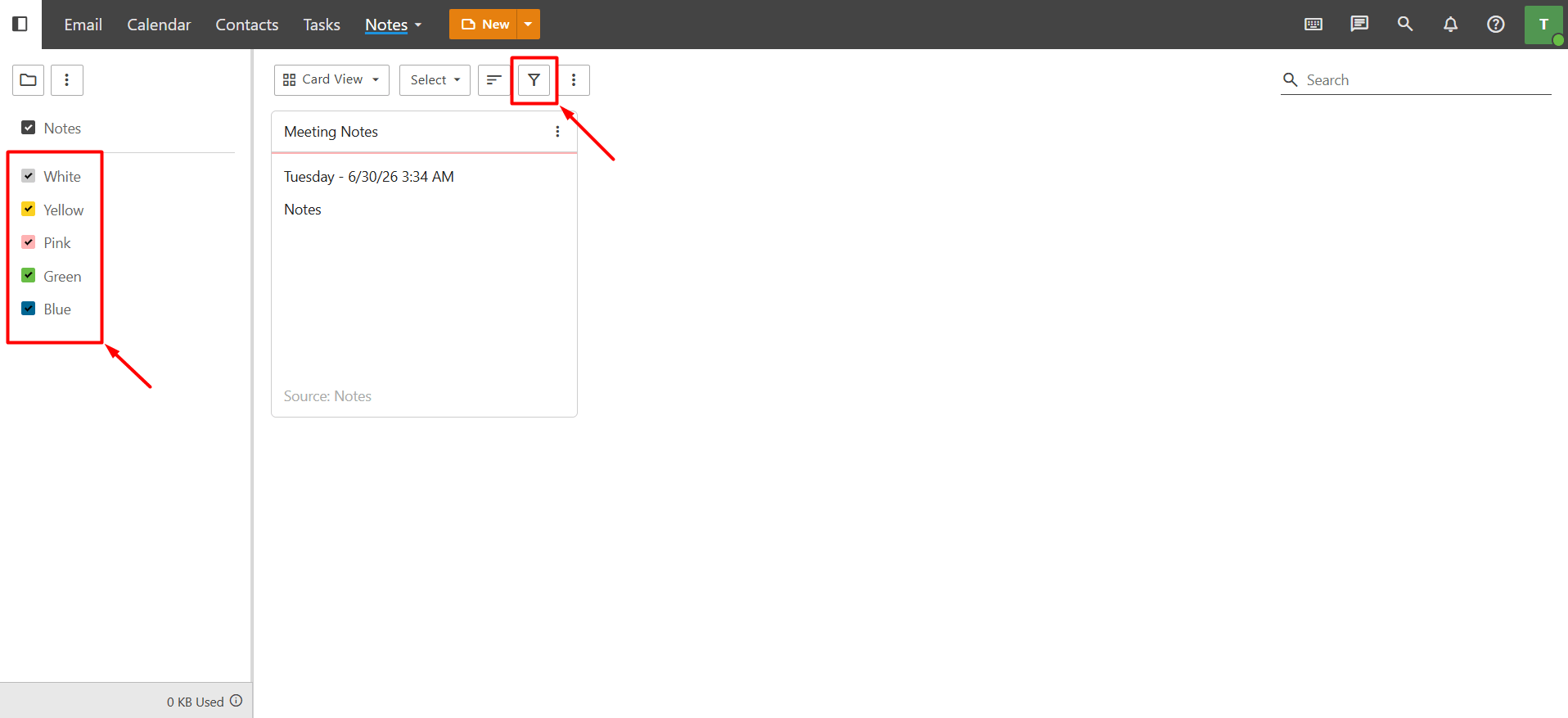
- If too many results are displayed despite the keyword you searched for, and you have assigned a category to your note, you can narrow down the search results by using the “Filter” button. You can also check the “color options” on the left side to display only notes assigned to a specific color.
In this way, you can reach the note you are looking for much faster and more easily.