Create your WordPress site with AI in 60 seconds.



























If you want to access the login details for your VPS control panel (such as cPanel, Plesk, AAPanel, etc.) purchased from Fastpanda, you can find them by following the steps below.
- Log in to the VPS Management page of the service whose panel details you want to access. If you need information on how to access the VPS Management page, you can click here.
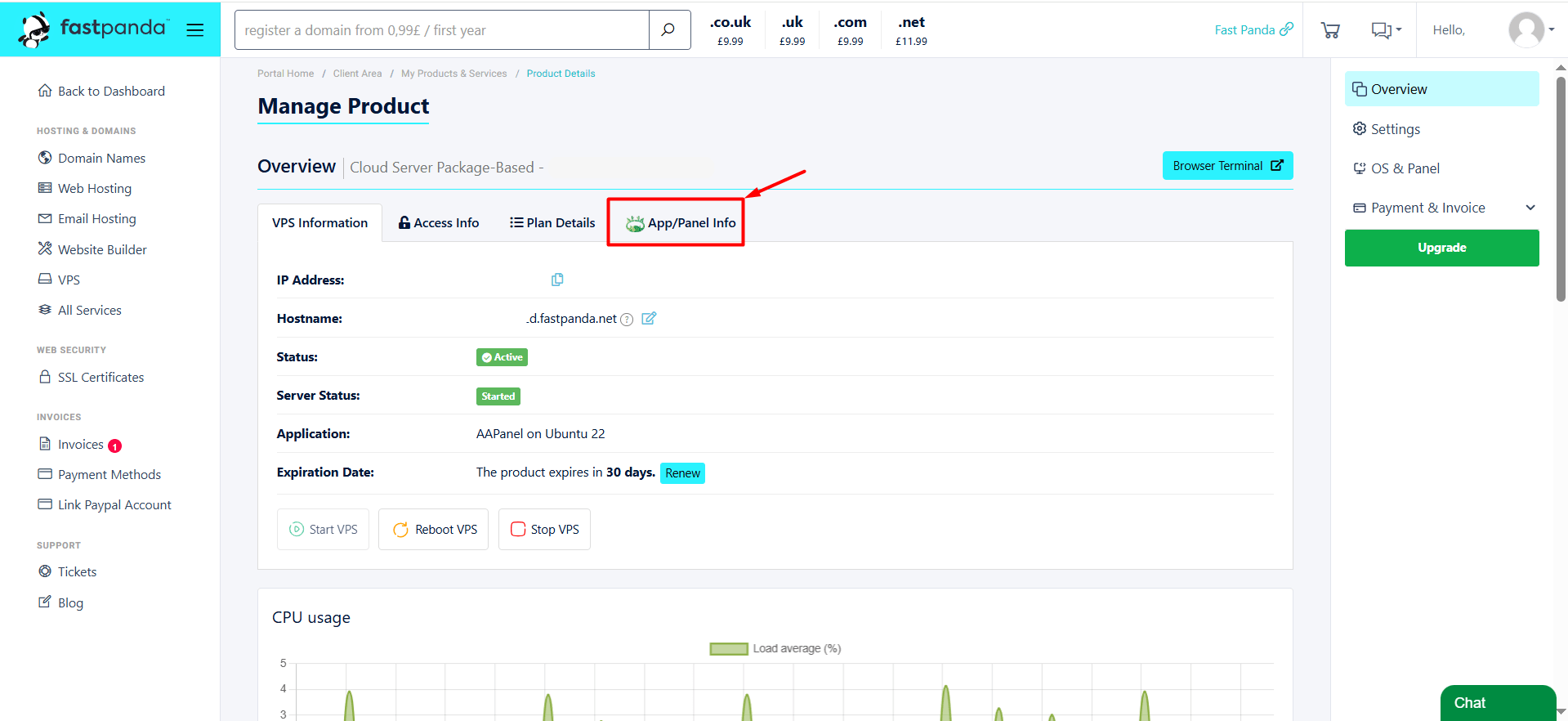
- After accessing the VPS Management page, click the “App/Panel Info” button located in the top menu.
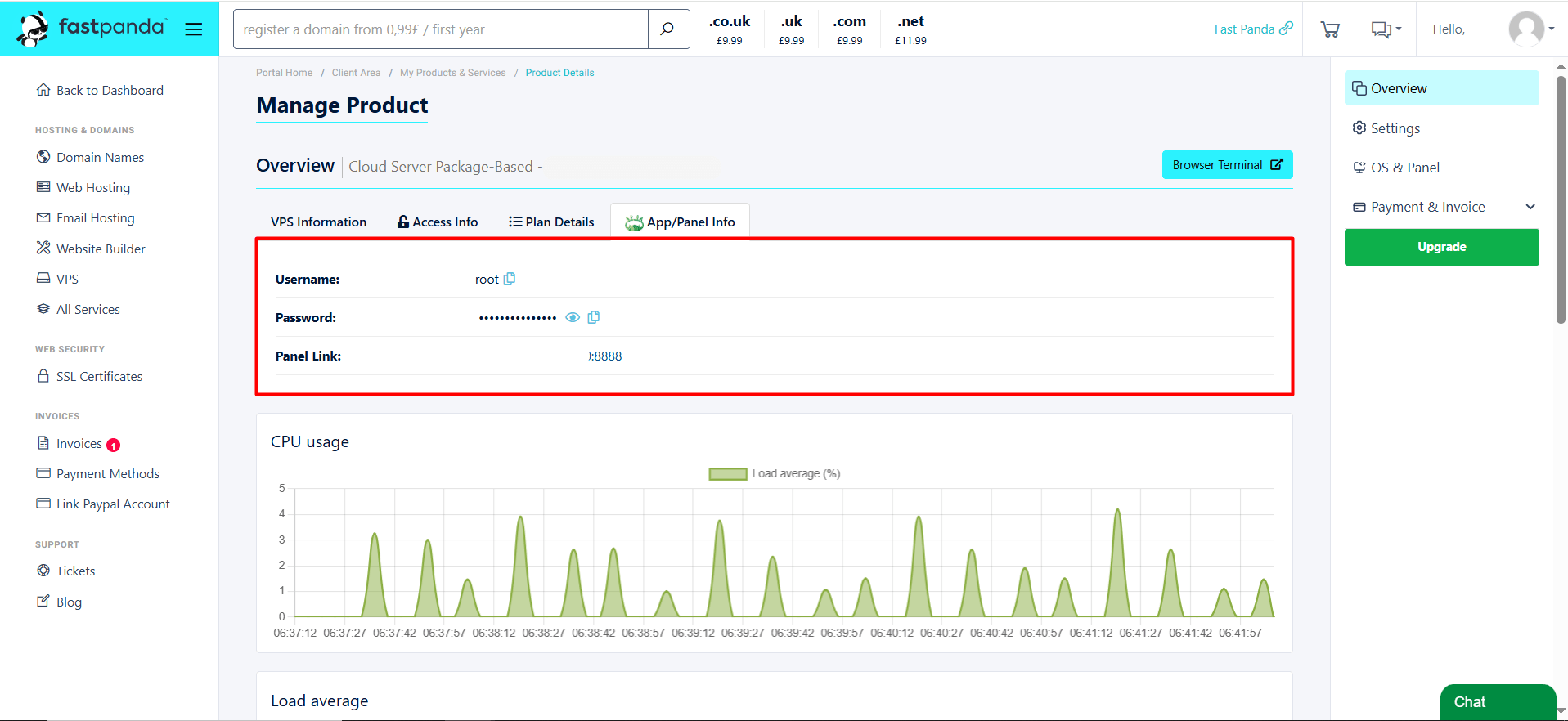
- The application or panel details of your VPS will be displayed on the page that opens. You can access your information from this screen.