Create your WordPress site with AI in 60 seconds.































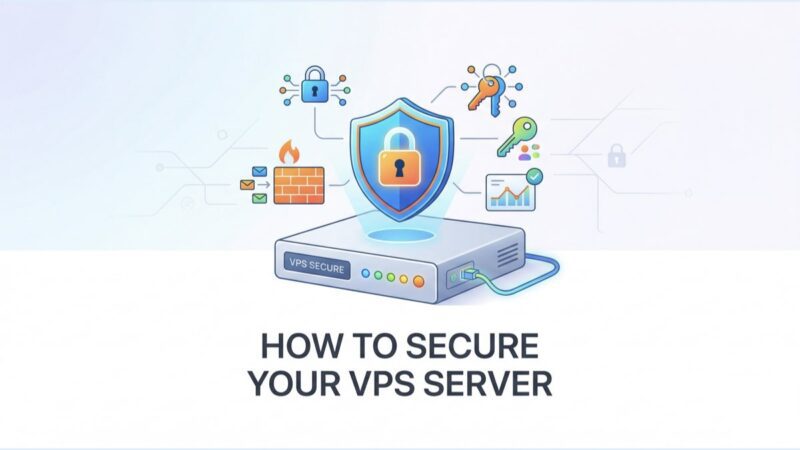
As businesses and individuals increasingly rely on VPS (Virtual Private Servers) to host websites, applications, and store data, the potential threats to these virtual environments are growing exponentially. Therefore, the need for robust VPS security measures is paramount to protect sensitive information from cyber threats and ensure business continuity. Even minor network or application attacks can disable a website, affect loading speeds, or even cause significant harm to your business.
The Critical Importance of VPS Security
The field of VPS security is vast and complex. It encompasses various strategies and technologies designed to protect servers from unauthorised access, data leaks, and other malicious activities. The importance of VPS security goes beyond just protecting data; it involves maintaining trust, ensuring privacy, and preserving the integrity of services hosted on the server. In an era where cyber threats are becoming increasingly sophisticated, the lack of stringent security measures can lead to devastating consequences, including financial loss, loss of reputation, and legal repercussions. Therefore, understanding the VPS security environment is the first step in building a resilient defence against potential threats.
Tips for Maximising Your VPS Security
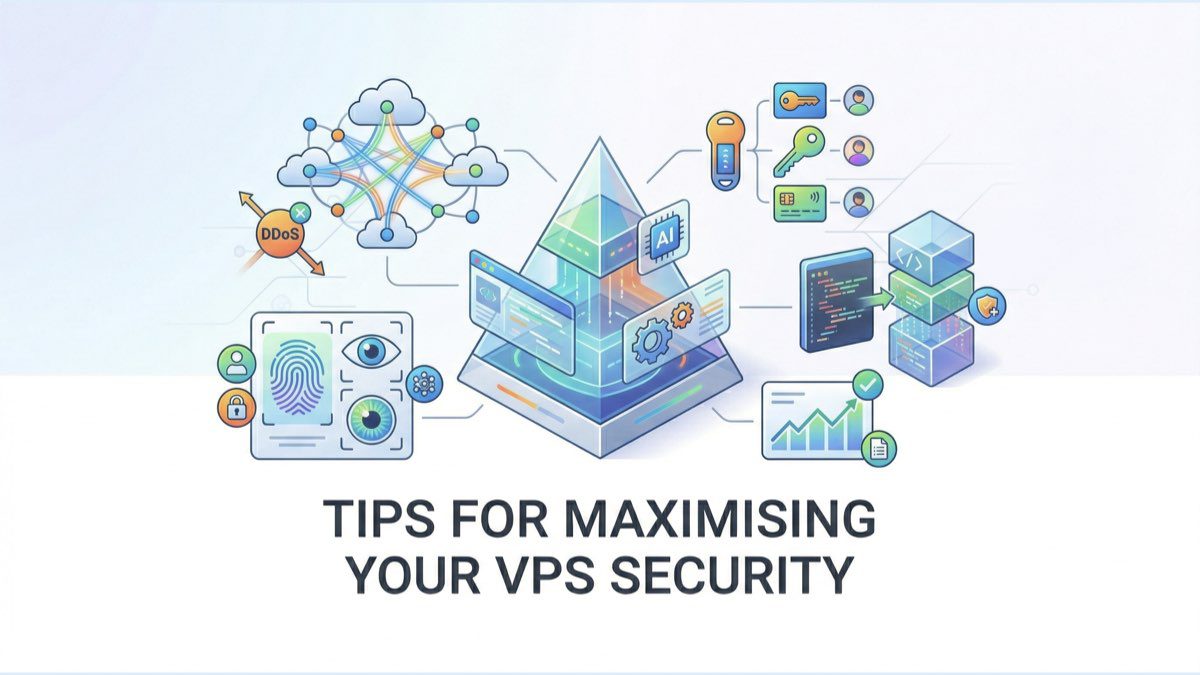
You can secure your VPS by fully implementing the following steps:
1. Secure Login and Access Control
Considering that 80% of breaches are related to compromised credentials, strong authentication measures are essential for a corporate VPS server.
Two-Factor Authentication (2FA)
2FA is not just about a password. It adds an extra layer of security by requiring a one-time code from an authentication app or mobile device. Even if a password is stolen, this extra step makes access significantly more difficult for hackers.
SSH Key Authentication
SSH key authentication replaces traditional passwords with a more secure public and private key pair system. For enhanced security, use 4096-bit RSA or ED25519 keys, encrypt your private keys, and rotate them every 90 days. Control access by effectively managing authorized_keys files.
Role-Based Access Control (RBAC)
RBAC ensures that users can only access what is necessary for their specific roles. For example, developers can be limited to staging environments while production systems remain protected.
Regular Access Audits
Monthly checks help strengthen security by removing unused accounts, updating permissions, and monitoring failed login attempts. 61% of businesses experience a security breach due to weak or unused passwords. Therefore, maintaining a proactive approach to access management is vital.
While these access controls are crucial, combining them with tools like firewalls and intrusion detection systems will further strengthen your VPS security.
2. Firewalls and Intrusion Detection Systems
Firewalls and Intrusion Detection Systems (IDS) go beyond user access control by protecting your network perimeter. They help block unwanted access and identify suspicious activity such as DDoS attacks or password brute-force attempts.
Network Firewall Configuration
A “deny by default” configuration ensures that all traffic is blocked unless explicitly permitted. This strategy strengthens your VPS security by:
- Allowing traffic only through critical ports such as SSH and HTTP/HTTPS.
- Restricting access to management interfaces.
- Filtering incoming packets based on source IP addresses.
- Logging and monitoring all connection attempts.
Intrusion Detection Systems
Modern IDS tools use advanced algorithms to detect threats before they cause damage. By analysing network traffic, an IDS can work alongside firewalls for multi-layered protection to detect unusual patterns and potential breaches.
Integration and Security Applications
To maintain a high level of security, regularly update firewall rules, configure an IDS to recognise cyber-attack patterns, and set up alerts for critical events. Hardware filtering can also help balance performance and security.
Advanced Threat Protection
AI-based tools can enhance VPS security by identifying sophisticated cyber-attacks and minimising false alarms. Additionally, detailed logging ensures compliance with standards such as PCI-DSS and HIPAA.
3. Keeping Software Up to Date
As seen in major incidents like the 2017 Equifax breach, unpatched software is a common gateway for cyber-attacks. For businesses where downtime and data breaches can have serious consequences, applying updates in a timely manner is vital.
Automated Update Management
Update automation ensures that critical patches for operating systems, services, and applications are applied without the need for manual intervention. These updates usually include:
- Security updates for operating systems.
- Patches for core services.
- Updates for application frameworks.
- Patches for critical vulnerabilities.
Core Update Categories
| Update Type | Security Importance |
| Operating System | High: Addresses kernel-level vulnerabilities. |
| Web Server Software | Critically Important: Protects against service exploits. |
| Control Panel | Medium: Protects system management interfaces. |
| Security Tools | High: Enhances threat detection and protection. |
Developing an Update Strategy
Planning is crucial for effective update management. To balance system security and stability, you should consider the following steps:
- Test updates in a test environment during off-peak hours.
- Take system snapshots before applying major updates.
- Monitor system performance after updates.
Patch Management Tools
For corporate VPS setups, dedicated patch management tools provide centralised oversight and reporting. These tools are vital, especially considering that 60% of businesses affected by data breaches had unpatched vulnerabilities in their systems.
Emergency Update Protocols
When dealing with critical vulnerabilities, it is important to have emergency protocols in place. These should allow for the rapid application of patches while ensuring system integrity. This is particularly important for zero-day threats, where hackers exploit vulnerabilities before a patch is released.
While updates address known issues, encryption adds an extra layer of protection, safeguarding sensitive data even in the event of a breach.
4. Data Encryption for Security
Encryption plays a significant role in ensuring corporate VPS server security and adds an extra layer of protection. By providing data security both during storage and transmission, it guarantees the security of confidential information even in the event of unauthorised access.
Data Protection Overview
| Data State | Encryption Method | Primary Purpose |
| At Rest | LUKS / BitLocker | Protecting stored data |
| In Transit | SSL / TLS | Securing network communication |
| Backups | AES-256 | Securing backup files |
Protection of Data During Storage and Transmission
In corporate VPS environments, protecting stored data with disk-level encryption is crucial. This ensures that data remains safe even if unauthorised access to storage devices occurs. For data security during transmission, use tools such as SSL/TLS for web traffic, SSH for remote sessions, and VPNs for private network communications.
Key Management Practices
Effective encryption key management is as important as the encryption itself. Best practices include rotating keys every 90 days, storing them in hardware security modules (HSM), and creating secure key backups. These steps help maintain robust data protection without compromising system reliability.
Compliance and Security Standards
Encryption is not just about security; it is also necessary to meet corporate compliance requirements. Businesses must implement strong encryption protocols to comply with data protection regulations and demonstrate their commitment to protecting sensitive information.
While encryption protects the data itself, securing communication channels is equally important to ensure the security of sensitive information during transmission.
5. Strengthening SSH Security
SSH (Secure Shell) is the primary tool used to manage corporate VPS systems remotely. Securing it is vital to prevent unauthorised access and breaches.
Key-Based Authentication
Switch to RSA 4096-bit keys for stronger encryption. Combine this with an IP whitelist to restrict access, disable root login to mitigate risks, and store keys in a secure location. These steps are much more secure than relying on passwords.
Adjusting SSH Configurations
Change SSH settings for better security. For example, change the default port (22) to a less obvious port. This simple step can reduce automated scanning.
Secure Key Management
Proper key management is crucial. Therefore, encrypt private keys and rotate them regularly. For extra security, consider using hardware security modules (HSMs) to store keys.
Monitoring Logs
Examine SSH logs for signs of trouble, such as failed login attempts, unusual session durations, or access from suspicious IP addresses. Early detection can stop cyber threats.
Coordination with Other Security Measures
SSH security should complement your broader security setup. For example, use an IP whitelist in your SSH configuration to coordinate with other security measures.
While blocking SSH access is vital, do not underestimate the importance of regular backups to protect your data.
6. Regular Backups for Data Protection
Data loss due to cyber-attacks or system failures can seriously disrupt a business. Regular backups serve as a vital security measure against such incidents.
Creating a Multi-Layered Backup Plan
A robust backup plan includes multiple layers of protection. Combine these methods for the best results:
- Daily incremental backups to protect recent changes.
- Full system backups for complete restoration points.
- Monthly external archives for disaster recovery scenarios.
Backup Automation
Manual backup management can lead to errors and inconsistencies. Modern VPS setups benefit from automated solutions that handle tasks such as scheduling, encryption, version control, and integrity checks, ensuring the reliability and consistency of backups.
Regular Testing and Validation
Testing backups guarantees they will actually work when needed. Focus should be placed on the following areas:
| Component | Frequency | Core Activities |
| Data Integrity | Weekly | Check file accuracy. |
| Restoration Process | Monthly | Test restoration speed and compatibility. |
| Disaster Recovery | Quarterly | Perform a full system recovery simulation. |
Ensuring Backup Security
Protecting your backup data is as important as creating it. Therefore, you should follow these steps:
- Encryption: Encrypt backup files to protect sensitive information even if storage space is compromised.
- Geographic Distribution: Store backups in different locations to protect against regional disasters.
- Access Control: Restrict access to backups by implementing strict authentication and permissions.
Compliance
Backups not only protect against data loss but also assist with legal compliance. Therefore, you must keep detailed records of all backup operations and document your procedures to ensure compliance.
Monitoring and Alerts
Configure automated alerts for issues such as:
- Failed backups or unusual backup sizes.
- Storage space being nearly full.
- Issues discovered during restoration tests.
Monitoring these factors helps identify and resolve problems before they escalate. While backups are necessary for recovery, proactive monitoring reduces the likelihood of serious incidents in the first place.
7. Monitoring and Activity Logs
Log monitoring is like a surveillance system for your VPS. It provides insight into system activity and flags potential security threats. Corporate environments often require advanced tools to meet security and compliance needs.
Core Log Types to Monitor
| Log Type | Purpose | What to Look For |
| System and Error Logs | Tracks system events and issues. | Resource usage, crashes, service errors |
| Access Logs | Tracks user interactions. | Login attempts, file access, permission changes |
| Security Logs | Detects potential threats. | Authentication failures, firewall events, port scans |
Automate Log Monitoring
Tools like the ELK Stack simplify and centralise log analysis, making it easier to detect trends and anomalies. For extra protection, consider using Fail2Ban, which automatically blocks IP addresses exhibiting suspicious login behaviour, such as password guessing attempts.
Configure Real-Time Alerts
Set up alerts for significant security events such as failed login attempts, unusual traffic patterns, or sudden spikes in resource usage. These real-time notifications help you resolve potential problems quickly and reduce the risk of issues escalating.
Log Security Best Practices
To ensure the security and reliability of your logs, follow these steps:
- Rotate logs regularly and encrypt them to prevent tampering and retention issues.
- Limit log access only to those who need it.
- Use Role-Based Access Control (RBAC) to manage permissions effectively.
Integration with Security Tools
Ensure your log monitoring system works seamlessly with your existing security tools. This integration enhances your ability to detect and respond to threats by providing full visibility into your system’s activities.
8. Securing Communication Channels
In corporate VPS environments where sensitive data is frequently shared, securing communication channels is crucial to maintain trust and compliance. Reliable encryption protocols are essential for ensuring information security during transmission.
SSL/TLS Implementation
Correct implementation of SSL/TLS is vital. This includes steps such as certificate validation, the use of modern protocols (TLS 1.2/1.3), and enabling Perfect Forward Secrecy (PFS) to ensure past data remains safe even if encryption keys are compromised.
| Protocol Feature | Security Advantage | Implementation Priority |
| Certificate Validation | Authenticates the server’s identity. | Critical |
| Data Encryption | Protects information during transmission. | Important |
| Perfect Forward Secrecy (PFS) | Protects past communications. | High |
Best Practices for Channel Security
You can secure your communication channels as follows:
Use certificates from trusted Certificate Authorities (CAs) and set up automatic renewal.
Enable TLS 1.2/1.3 and disable older protocols like TLS 1.0.
Perform regular security assessments using tools like SSL Labs to identify and mitigate vulnerabilities.
Multi-Tenant Environments
For multi-tenant VPS setups, assign unique SSL/TLS certificates to each tenant. This approach helps isolate risks and improve overall security.
Monitoring and Maintenance
Maintain a high level of security by monitoring certificate expiry dates, tracking session activity, and updating configurations as needed.
Web Application Security
SSL/TLS alone is not enough. Therefore, add extra layers of protection with Web Application Firewalls (WAF) and secure headers. Also, ensure all services, including email and file transfer, use secure protocols.
While encryption protects transmitted data, disabling unnecessary services further reduces exposure to potential threats.
9. Disabling Unnecessary Services
Reducing your VPS’s attack surface starts with disabling services that are not essential for your operations. By auditing active services and network ports, you can limit potential entry points for attackers and improve your overall security.
Service Audit and Management
Use system tools to identify and audit services running on your VPS. Regular monitoring of these services is crucial for maintaining your system’s security.
| Service Type | Impact on Security | Required Action |
| Active Web Servers | High risk | Disable unnecessary running instances. |
| Database Services | Critical | Remove unused databases. |
| Network Protocols | Medium risk | Update old protocols with more secure versions. |
Priority Services to Review
Some services are often overlooked but can pose risks. Pay particular attention to the following:
- File Transfer: Replace legacy FTP with secure options like SFTP or FTPS.
- Databases: Remove unused or outdated databases.
- Email Services: Disable them if they are not part of your operations.
- Development Tools: Remove these from production environments to prevent unnecessary impact.
Service Management Automation
Streamline service management with tools like Ansible to maintain consistency and reduce human error. Automation also supports compliance with regulations like PCI-DSS, which requires the removal of unnecessary features. Performing service audits monthly or quarterly helps maintain security and compliance.
10. Use of Antivirus and Malware Protection
Malware attacks affect many businesses, and the average loss from a breach reaches millions of pounds. Therefore, reliable antivirus and malware protection is essential to protect your corporate VPS.
Choosing the Right Protection
For Linux-based VPS systems, ClamAV is a reliable open-source option that combines performance and efficiency. Here are a few factors to consider:
| Feature | Requirement | Why It’s Important |
| System Resources | At least 2 GB RAM | Prevents system performance slowdown. |
| Scanning Frequency | Regular automated scans | Provides continuous protection. |
| Update Schedule | Automated signature updates | Detects the latest threats. |
| Real-Time Protection | Active monitoring | Protects against zero-day attacks. |
Effective Scanning Application
Configure your antivirus to perform quick daily scans and full system scans weekly during off-peak hours. This provides a balance between system security and performance. Focus scanning on critical files and databases to prevent unnecessary resource consumption.
Integrate with Your Security Infrastructure
Antivirus tools are only one component of an overall security strategy. Combine them with firewalls, Intrusion Detection Systems (IDS), access controls, and regular patch updates for a more layered approach. This integration strengthens your VPS’s defence against new and evolving threats.
Performance Optimisation
To ensure your VPS runs smoothly during scans, implement the following:
- Schedule scanning operations for off-peak hours.
- Exclude high-traffic directories.
- Regularly monitor resource usage.
- Adjust antivirus settings if necessary.
These adjustments help maintain system performance without compromising security.
Monitoring and Maintenance
Regularly review logs to ensure your antivirus is working effectively. Ensure updates are automated and test functionality frequently. Remember that no solution is completely foolproof; zero-day threats can slip through. A multi-layered security strategy is your best defence.
While antivirus tools are an important part of VPS security, they work best when combined with other measures to create comprehensive threat protection.
In conclusion, a corporate VPS server requires special attention to security, especially given the increasing risks to business infrastructure. Using a multi-layered security strategy helps mitigate threats and ensures the uninterrupted operation of the system.
Forget Technical Details, Leave Your VPS Security to Fast Panda


Fast Panda takes the security process to the next level with its infrastructure features. VPS Servers hosted in GDPR-compliant data centres, weekly automatic disaster recovery backups, and 24/7 proactive monitoring services protect your data against external interference. Providing opportunities such as full root access and a browser-based secure terminal, Fast Panda offers the user both the freedom of full control and minimises operational risks with high reliability and a 99.9% SLA guarantee at the infrastructure level.