Create your WordPress site with AI in 60 seconds.




























cPanel is a popular Linux-based control panel used for managing web hosting space. Operations such as file management, database management, backup, SSL installation, and more can be performed through cPanel. There are two methods to access cPanel. By following the steps below, you can access cPanel using your preferred method.
Method – 1
- Access the website www.fastpanda.co.uk
- Click on the “Sign In” button on the opened page, enter your customer panel information, and click the “Log in” button to log in to your account.


- Click on the “Web Hosting” option in the left menu.

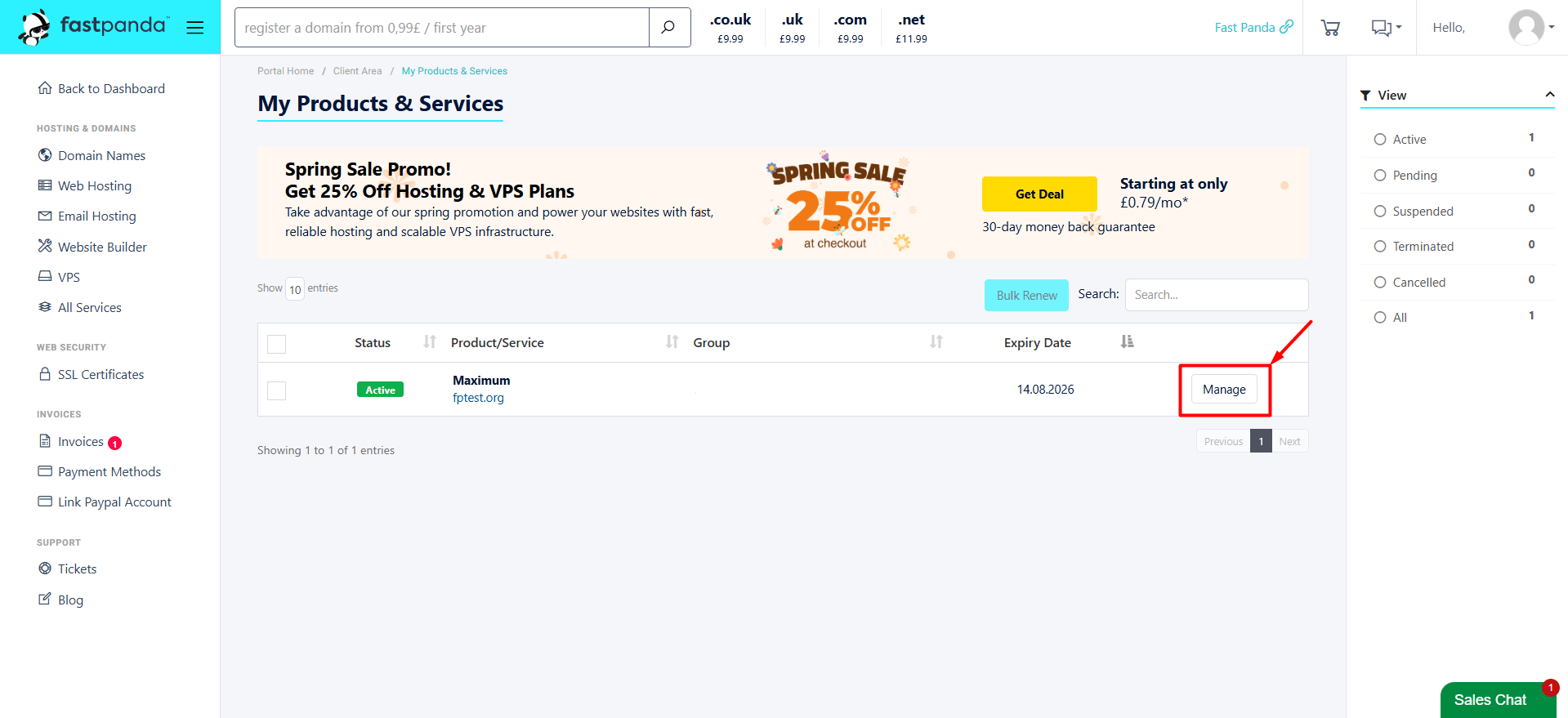
- On the opened page, you will see your existing web hosting packages. Click the “Manage” button for the service you want to access cPanel for.
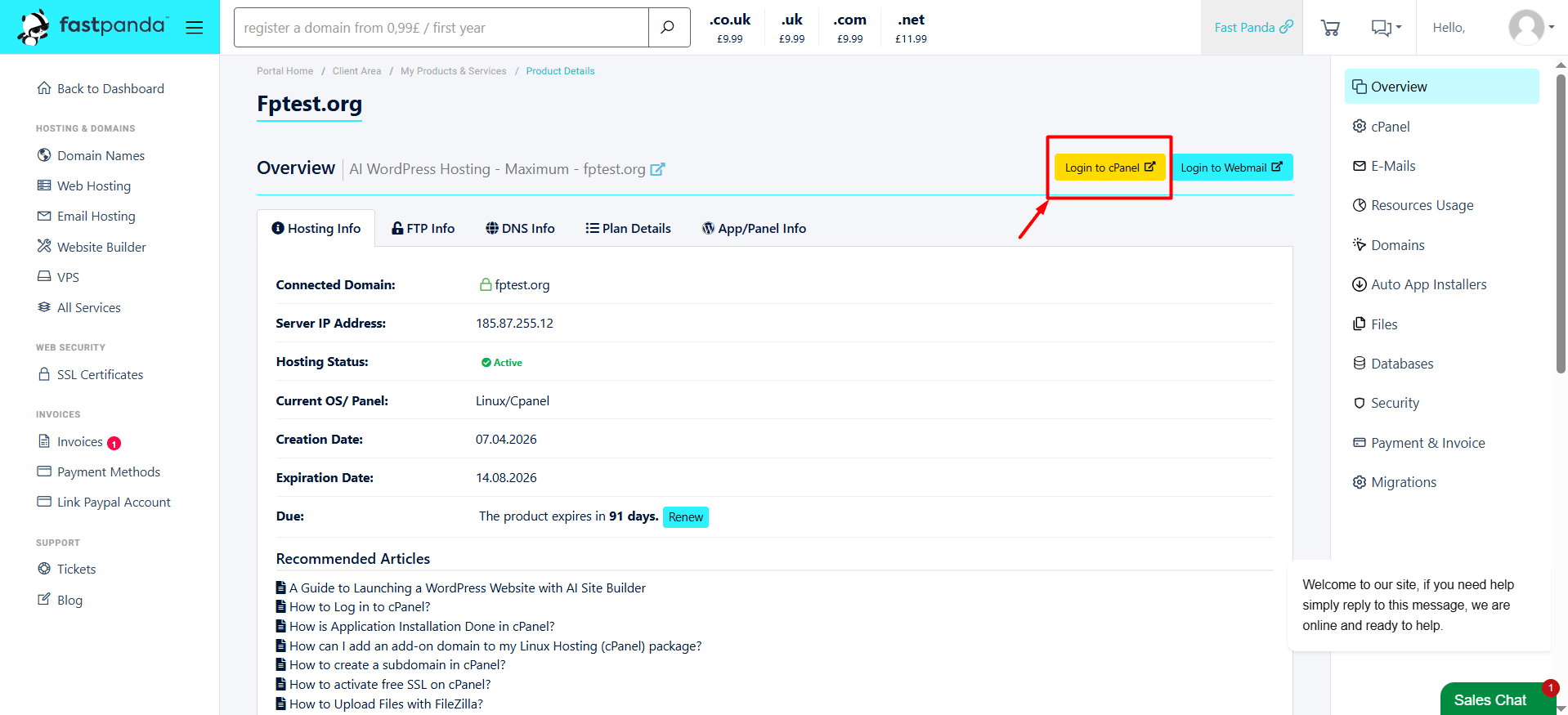
- You will see a “Login to cPanel” button. Clicking on this button will automatically redirect you to cPanel.

Method – 2
- Open your web browser. In the address bar, type “domain.tld/cpanel”. Replace “domain.tld” with your own website’s domain name. (Example: xxxyyyzzz.co.uk/cpanel)
- You will encounter a screen prompting for your cPanel user credentials. Enter your information and click the “Log in” button to access cPanel.

- If you don’t know the username and password to log in, follow the steps below
- After purchasing the hosting package, check the e-mail sent to you. Your access information will be written under the title “cPanel Login Details” in the e-mail. You can log in with this information
- If you cannot find the email sent to you after purchasing the hosting package, access your customer panel. Click on the “Web Hosting” option in the left menu. Click the “Manage” button for the service you want to access cPanel.
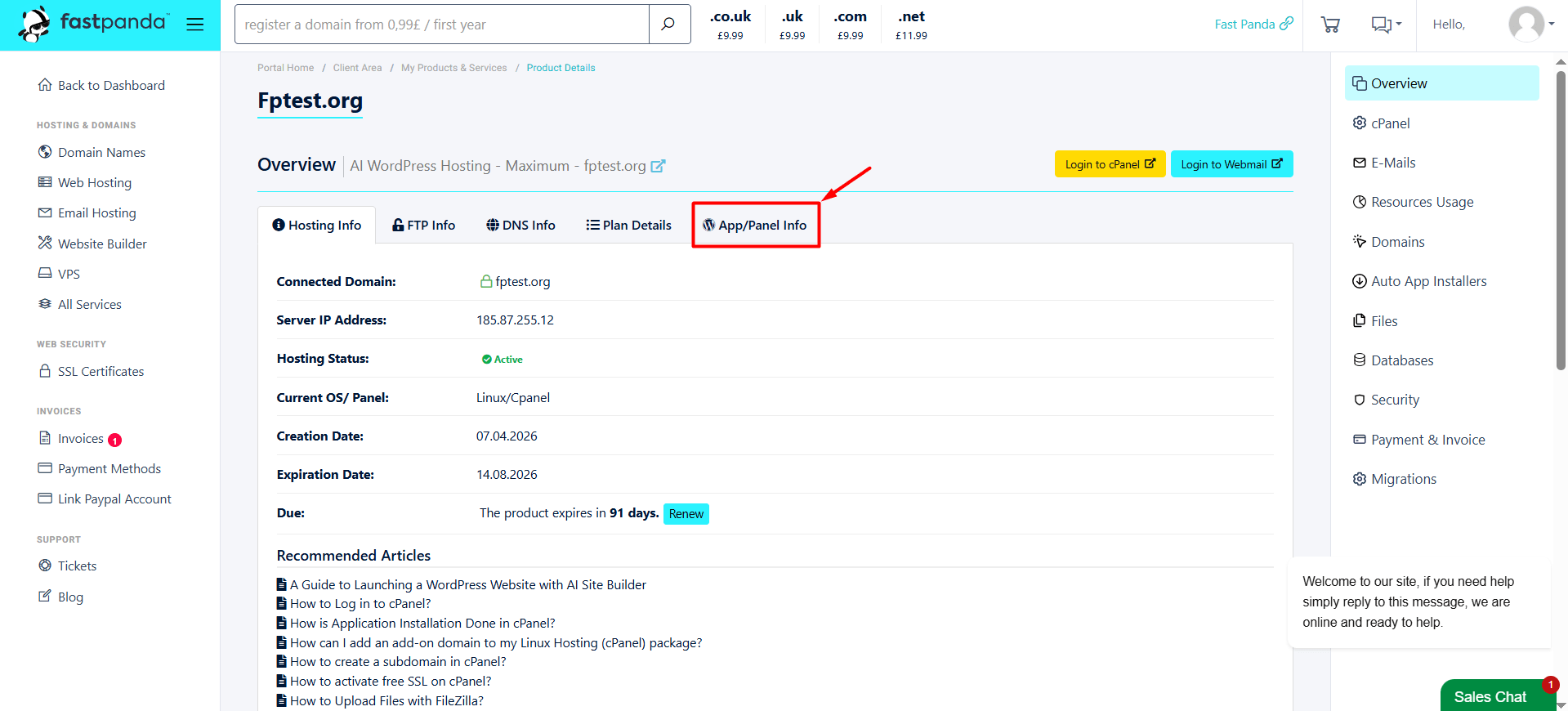
- Go to the “App/Panel Info” tab on the page that opens to find your cPanel username and password.
-
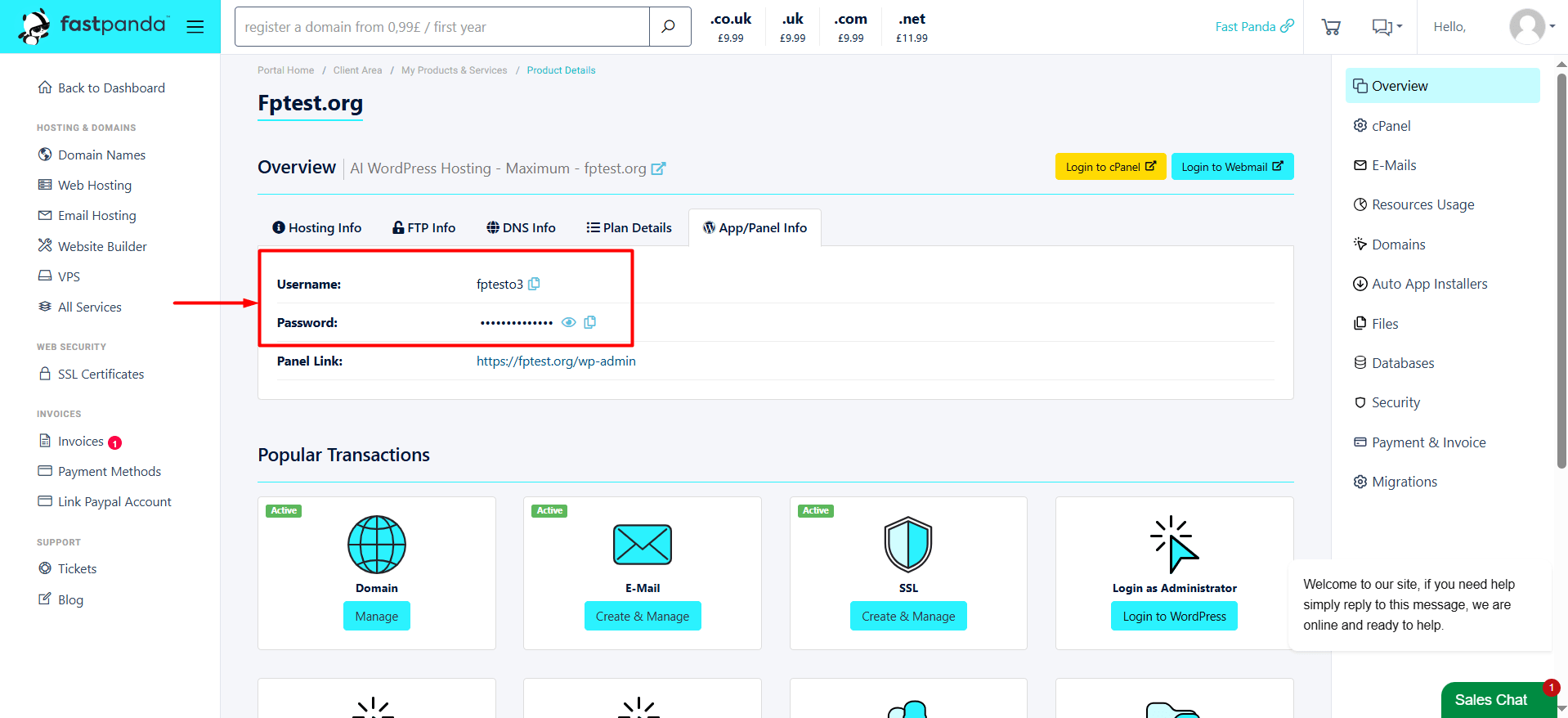
- On the page that opens, you can view your username and password information. The password will initially appear as ***. To reveal the password, simply click the eye icon next to it.
-
- You can log in to the cPanel login page using the information displayed on the screen.