Create your WordPress site with AI in 60 seconds.















To create new email accounts, change passwords, adjust quotas, or export the account list for your Fastpanda Business Email service, you need to log in to the Business Email Control Panel. You can follow the steps below to log in.
- First, log in to the customer panel. Click here for more detailed information about logging in to the customer panel.
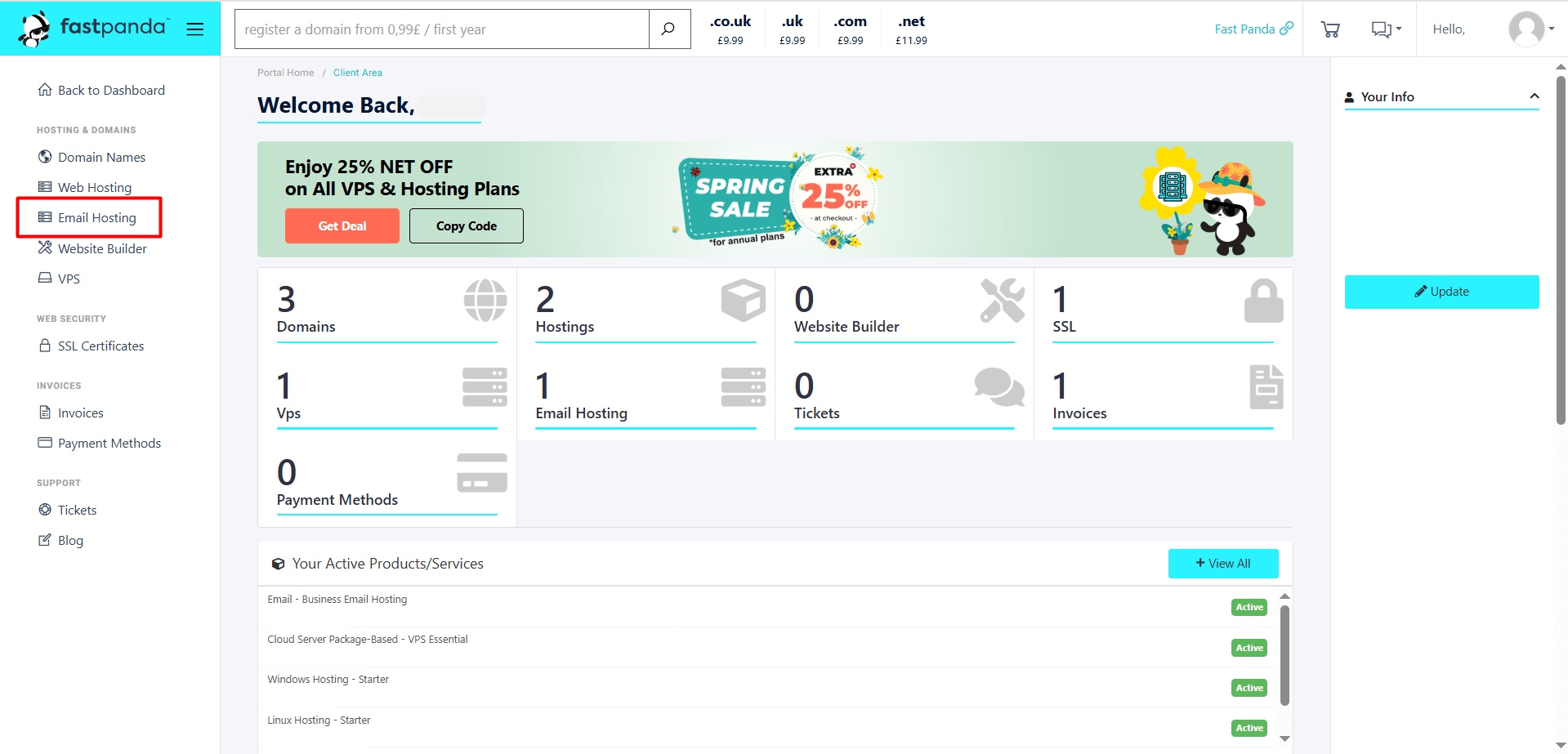
- After logging in to the customer panel, click the “Email Hosting” button located in the left menu.
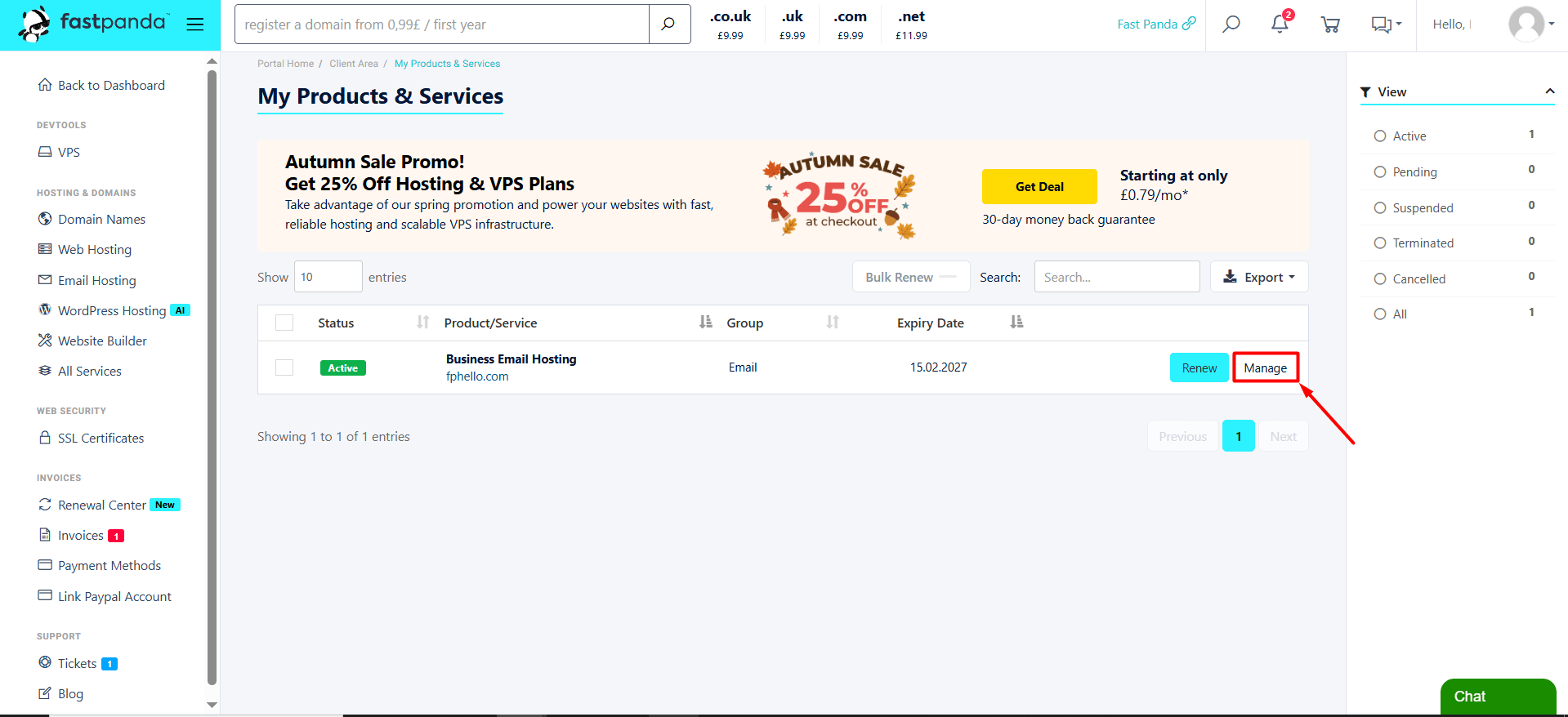
- On the page that opens, you will see your existing Business Email packages. Click the “Manage” button for the Business Email service you want to manage.
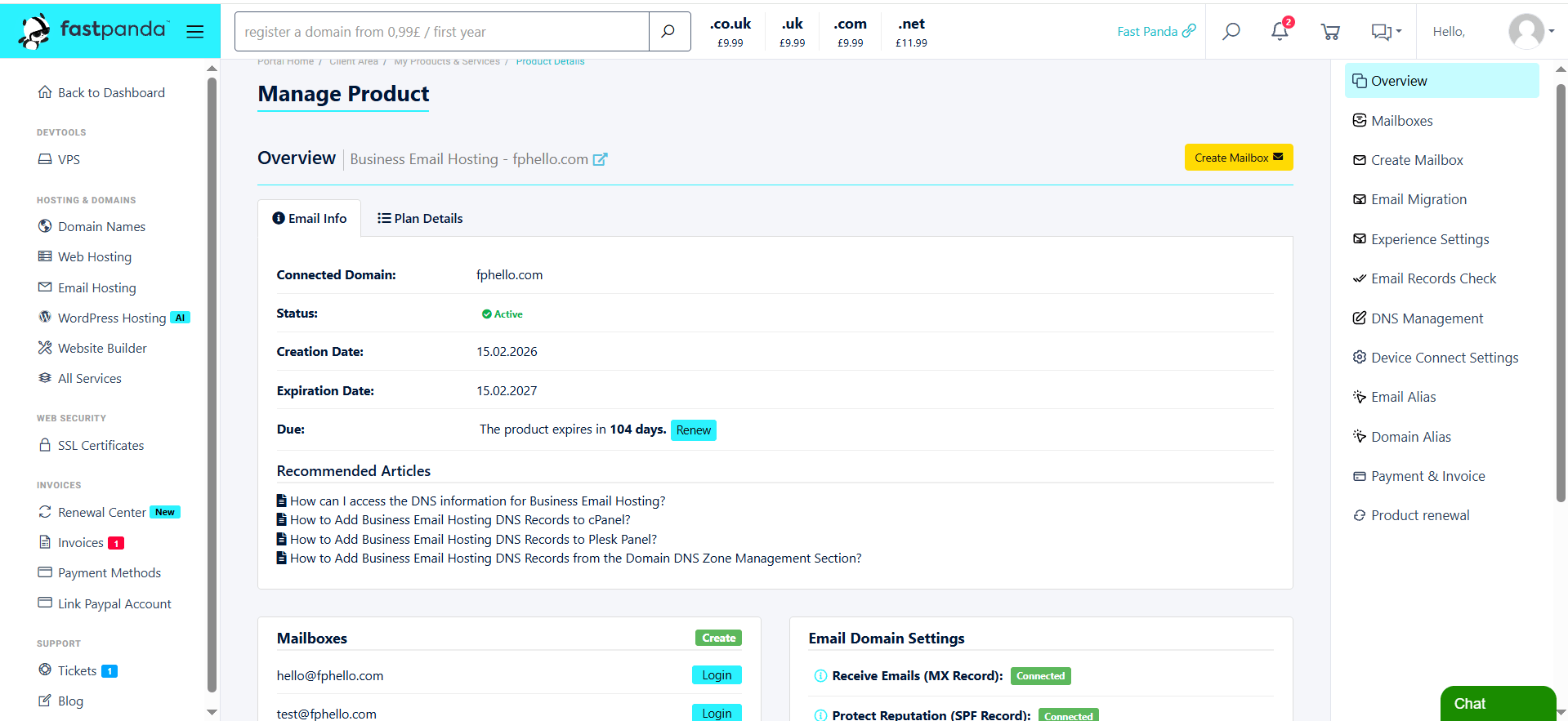
- When you follow these steps, the management page for the relevant Business Email service will open. From the Business Email management page that opens, you can view or manage information related to your email service.