Create your WordPress site with AI in 60 seconds.




























With bulk renewal, if you have multiple VPS services, you can renew them all at once in a practical way instead of renewing each service individually. To perform a Bulk VPS Renewal, you can follow the steps below.
- First, log in to the customer panel. Click here for more detailed information about logging in to the customer panel.
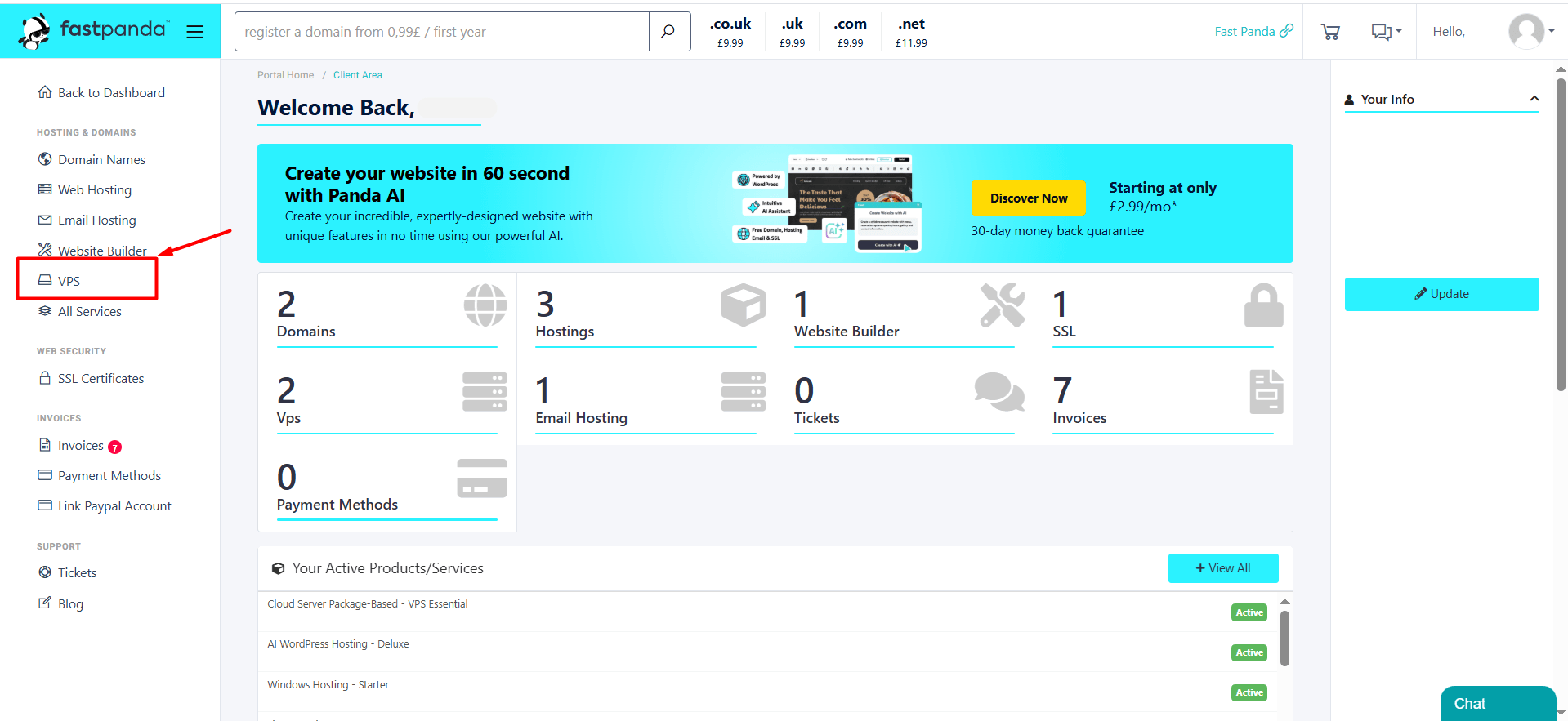
- Click on the “VPS” option in the left menu.
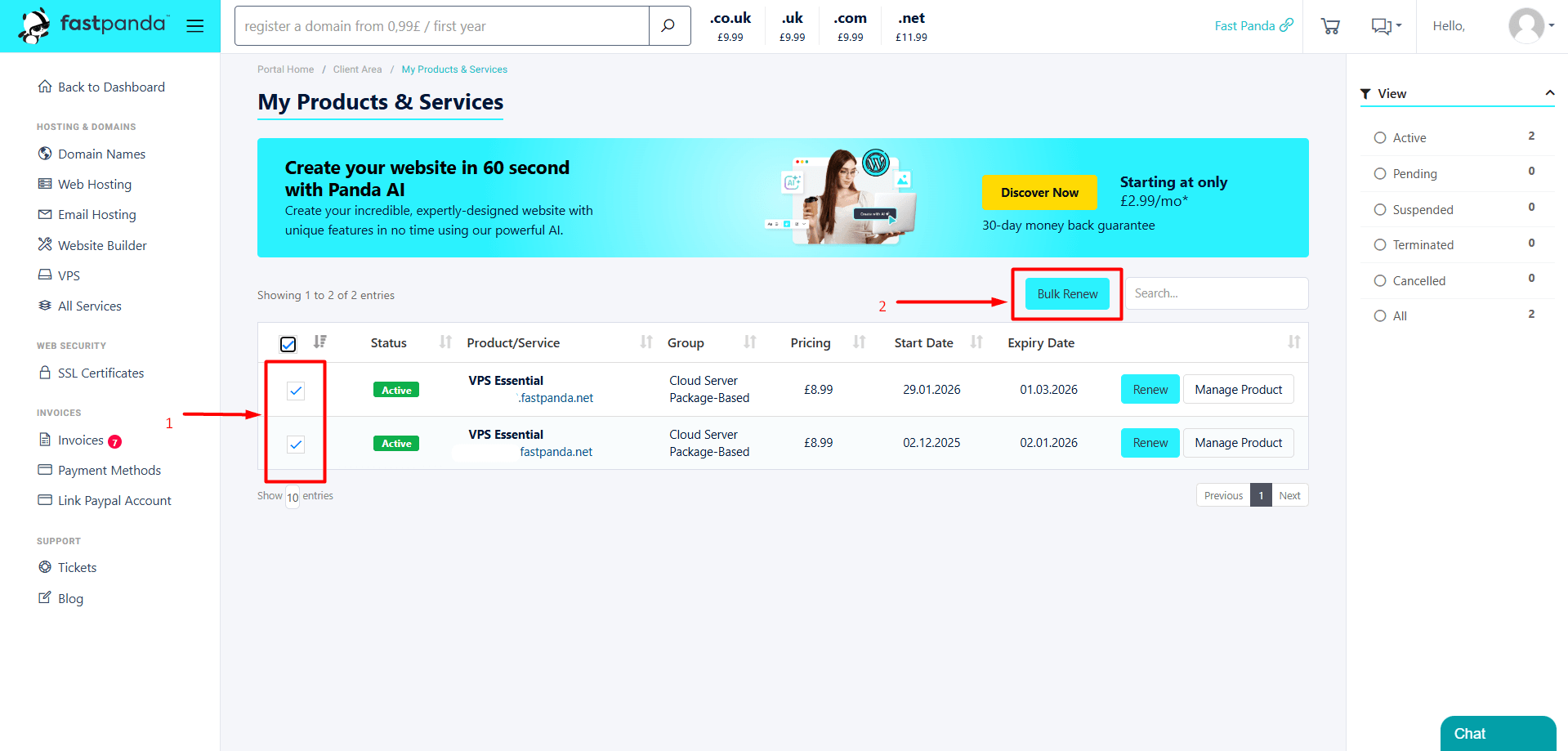
- On the page that opens, your VPS will be listed. Select the checkboxes next to the services you want to renew, then click the “Bulk Renew” button.
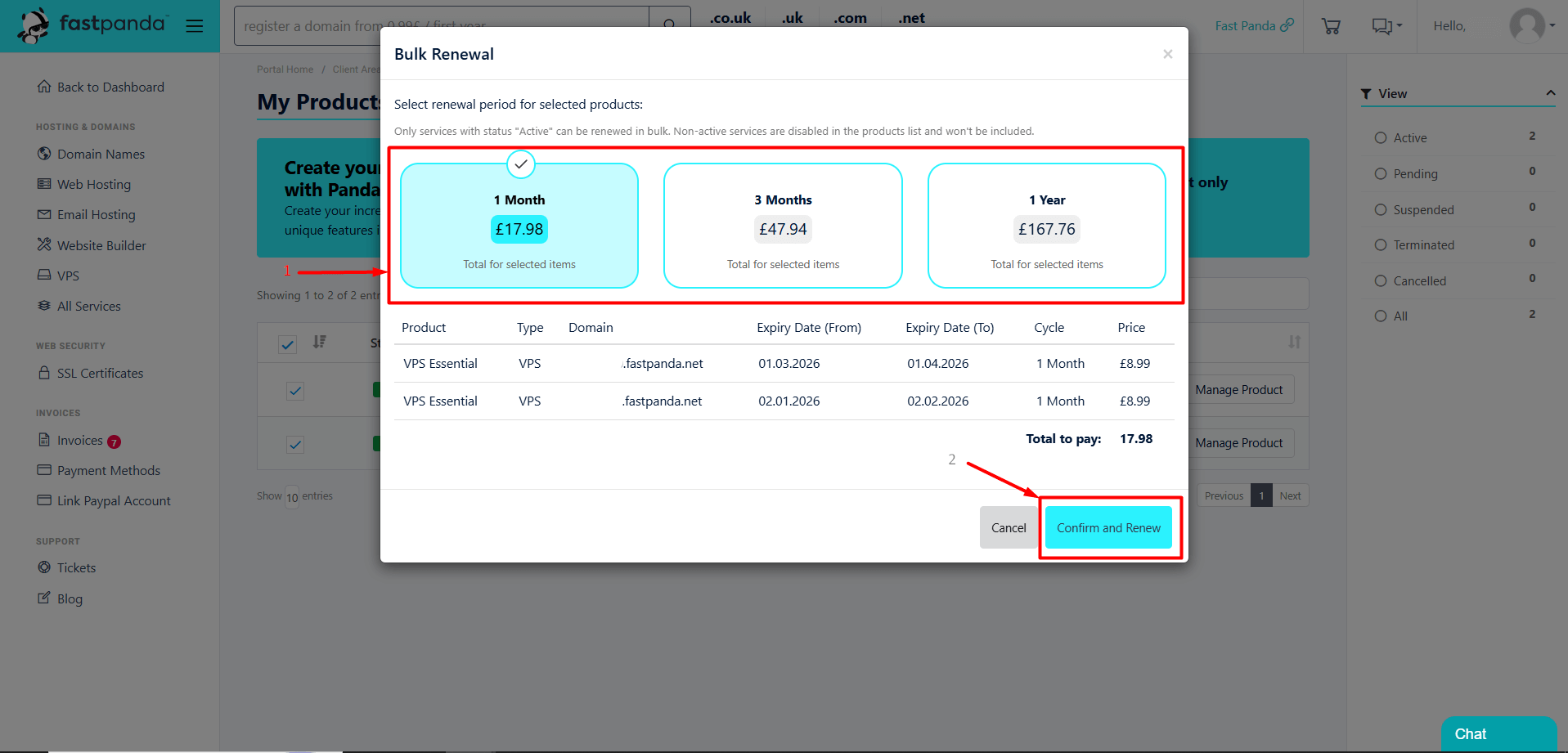
- In the window that opens, you will see information about the VPS services you want to renew. You will also see the available renewal periods for your VPS services. Click the duration that suits you, such as monthly or yearly, and then click the “Confirm and Renew” button.
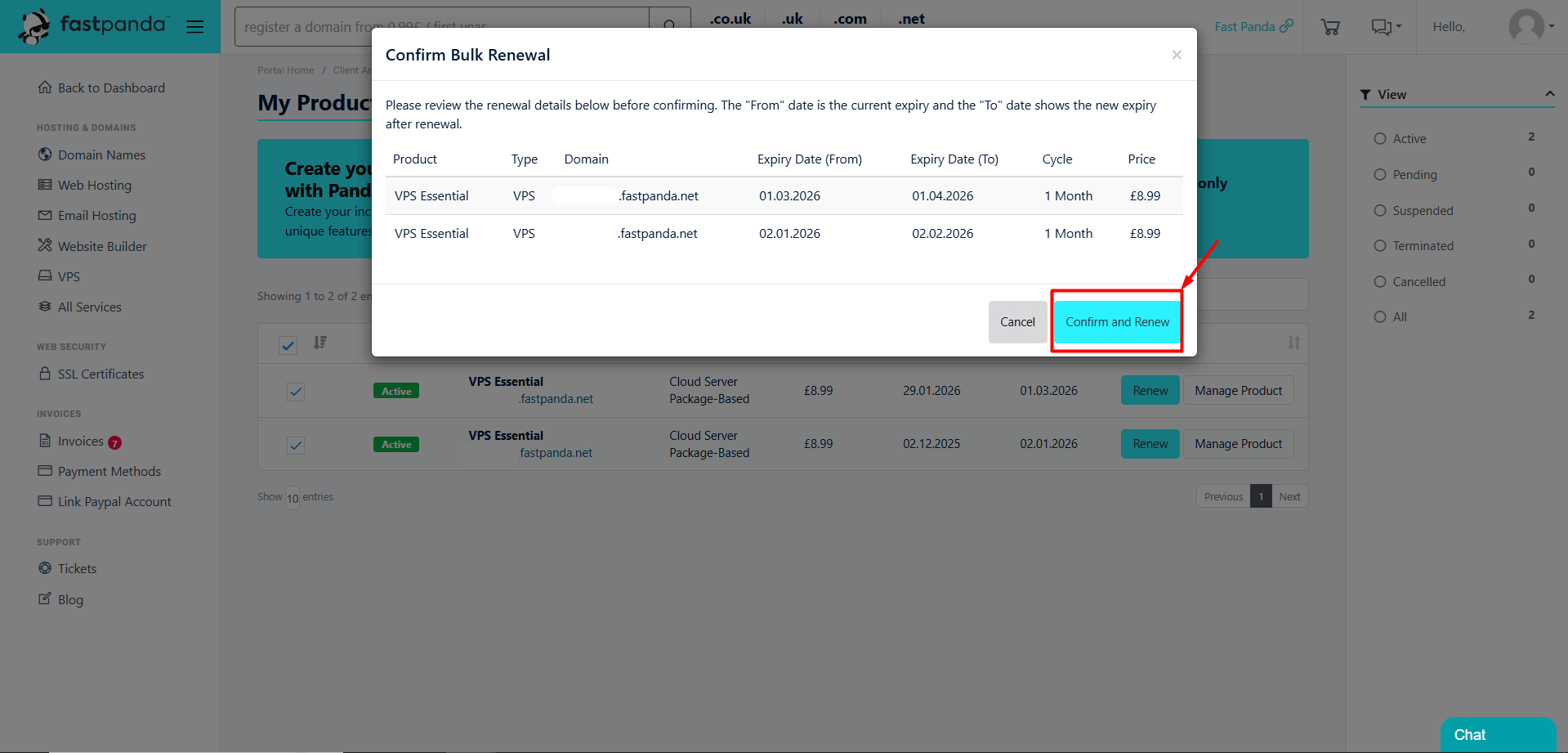
- After confirming the duration selection, you may encounter another information screen. Click the “Confirm and Renew” button.
- After this step, your VPS renewal order will be created and your invoice will be displayed on the screen. Select your payment method from the “Payment Method” section, then click the “Pay Now” button to complete the payment.
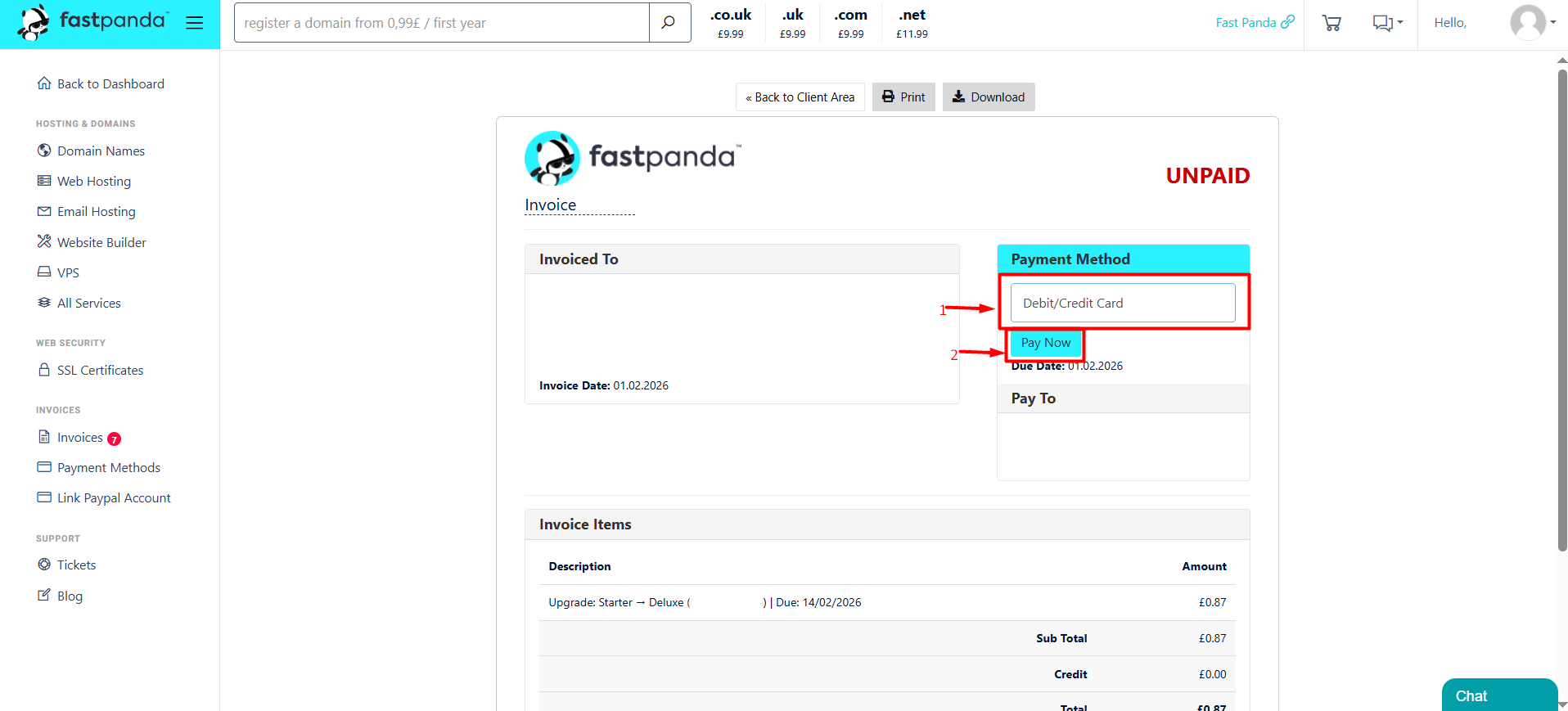
- After following the steps above and completing the payment, the entire process will be completed automatically, and your services will be renewed within a few minutes.