Create your WordPress site with AI in 60 seconds.



























With Bulk Renewal, instead of renewing multiple services individually, you can select the services you want to renew and renew them all at once. The selected services are combined into a single invoice, allowing you to complete the payment in one transaction.
- Select multiple services at once.
- Combine the selected services into a single invoice.
- Complete your payment in a single transaction.
Bulk renewal can be performed in two different ways:
- Bulk Renewal from the Services Page
- Bulk Renewal through the Renewal Center
1. How to Perform Bulk Renewal from the Services Page?
You can perform a bulk renewal directly from the page where your services are listed by selecting the services you want to renew.
For example, to renew your domains in bulk, follow the steps below:
- First, log in to the customer panel. Click here for more detailed information about logging in to the customer panel.
- Click on the “Domain Names” option in the left menu.

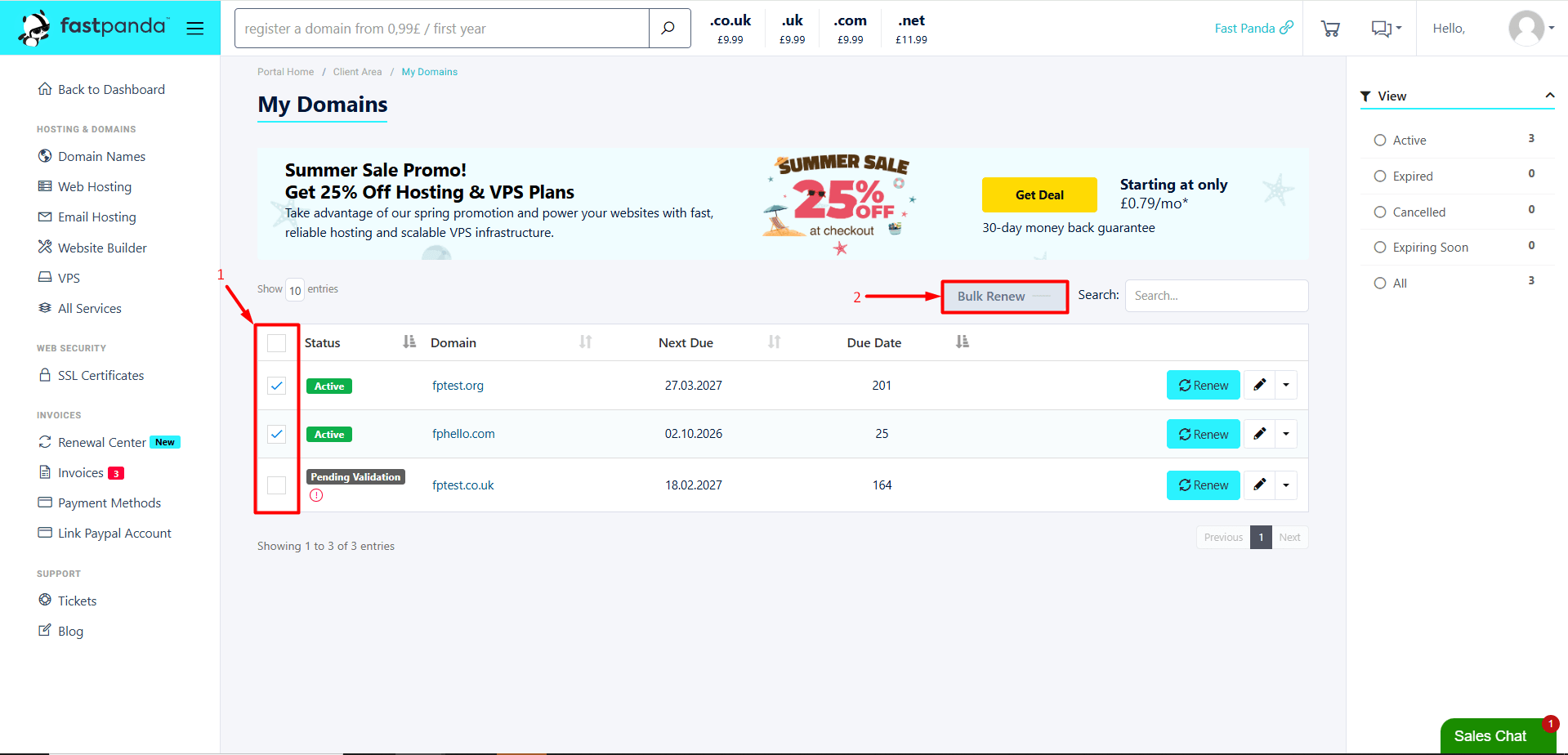
- The domains in your account will be listed on the page that opens. Select the checkboxes next to the domains you want to renew, then click the “Bulk Renew” button.
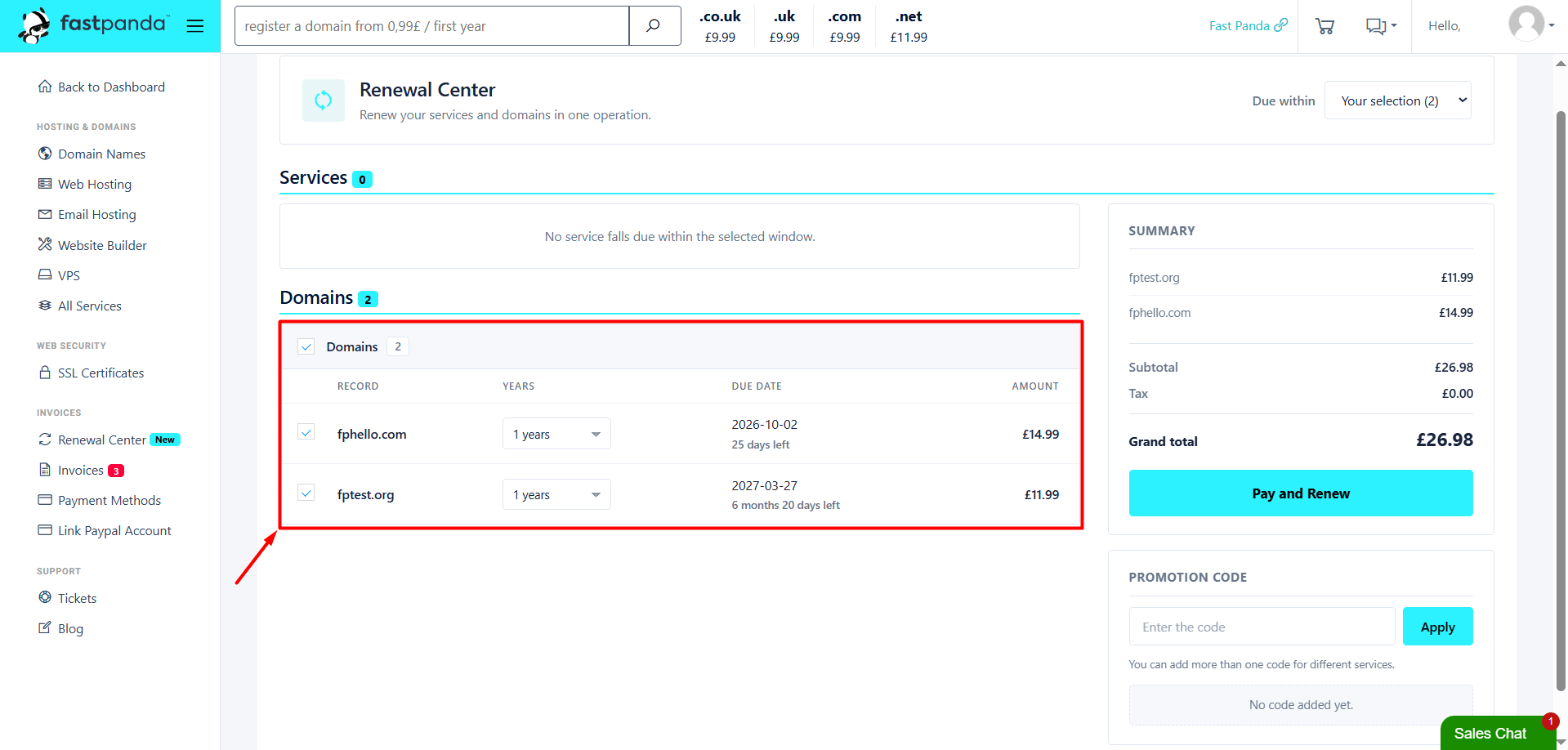
- When you click the Bulk Renew button, you will be redirected to the Renewal Center page. On this page, you can view the service’s Due Date, increase the available renewal period, and review the payment amount based on your selections.
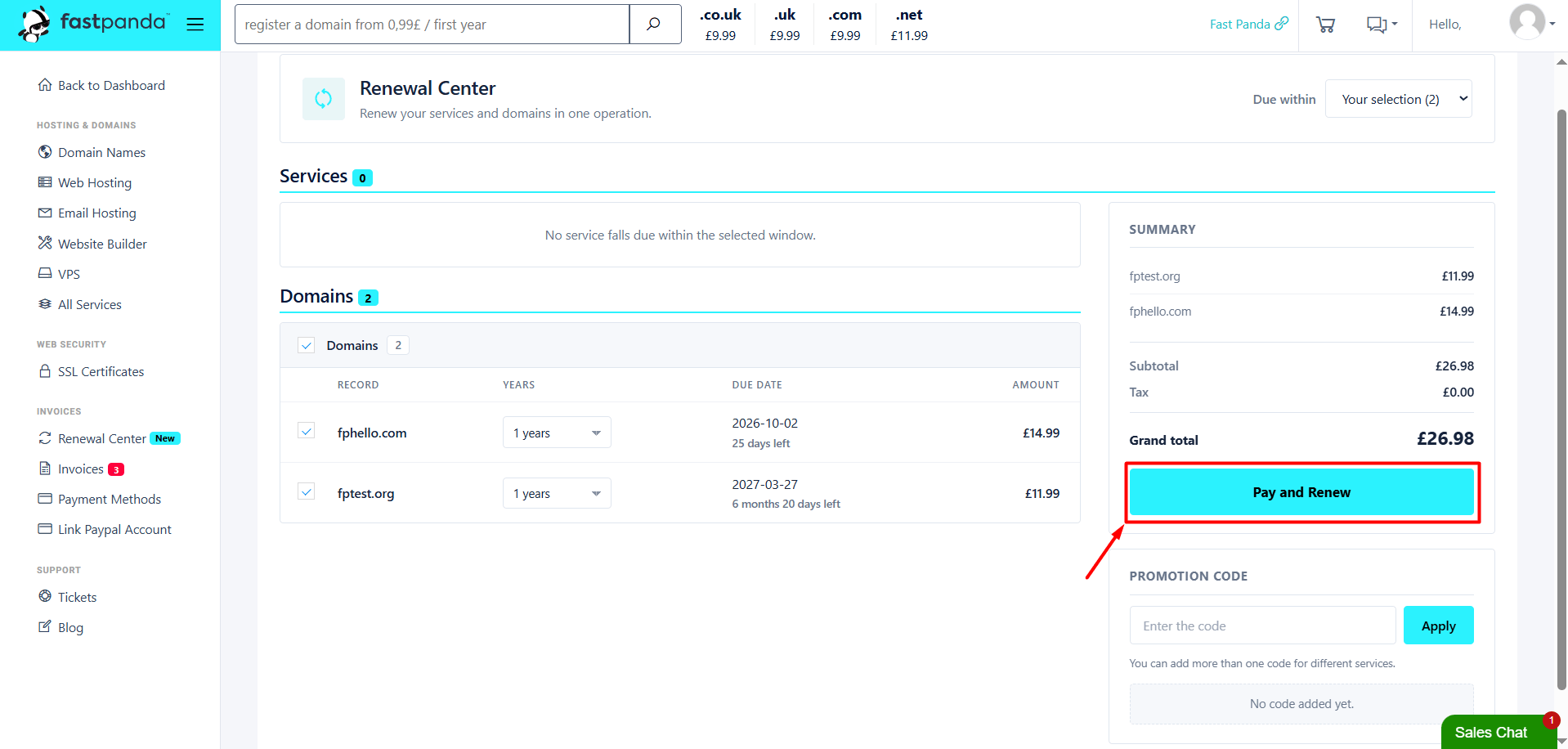
- If you have a promotion code, enter it in the “Promotion Code” section on the right side of the page. After checking all the information, click the “Pay and Renew” button.
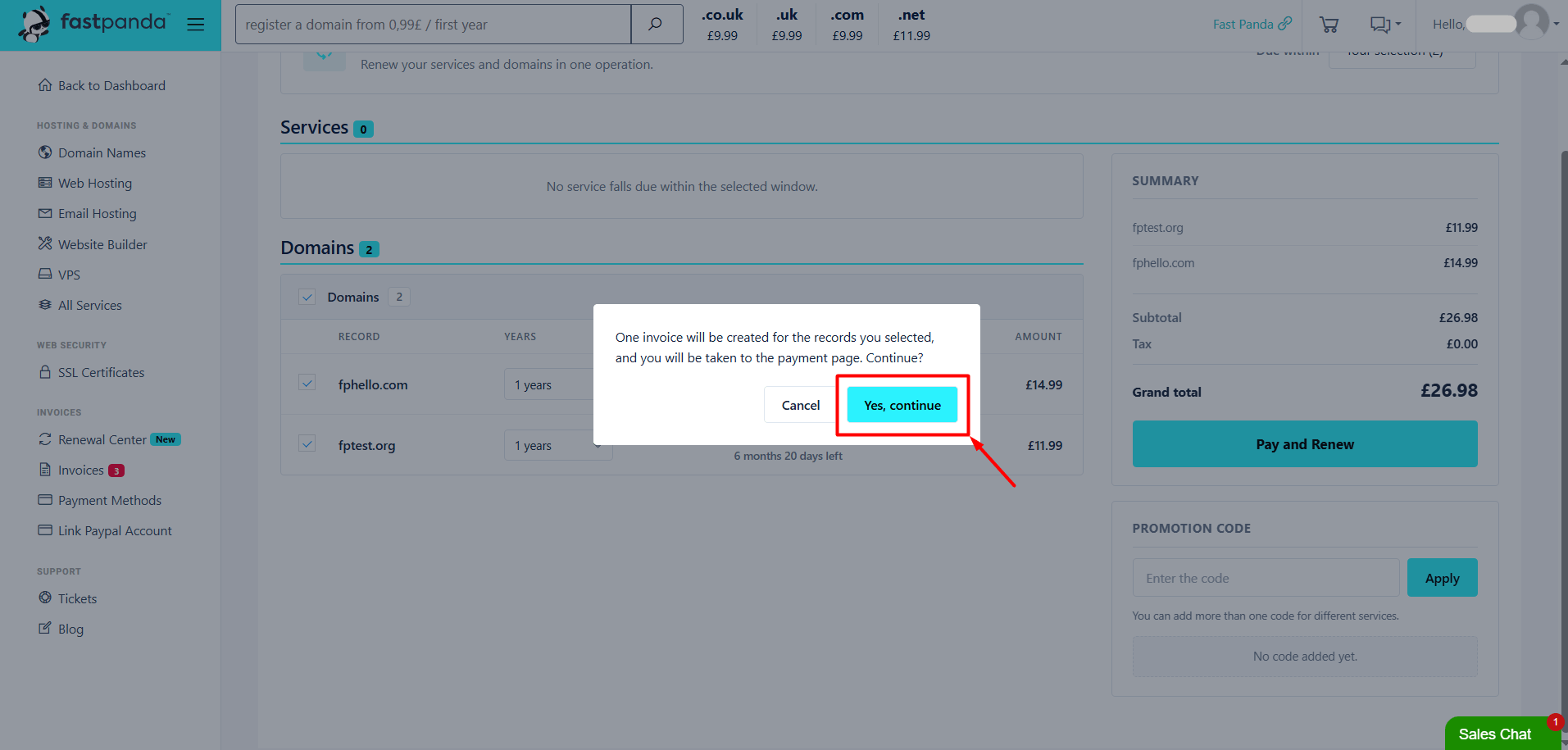
- A confirmation window will appear with the message: “One invoice will be created for the records you selected, and you will be taken to the payment page. Continue?” To proceed to the payment page, click the “Yes, continue” button.
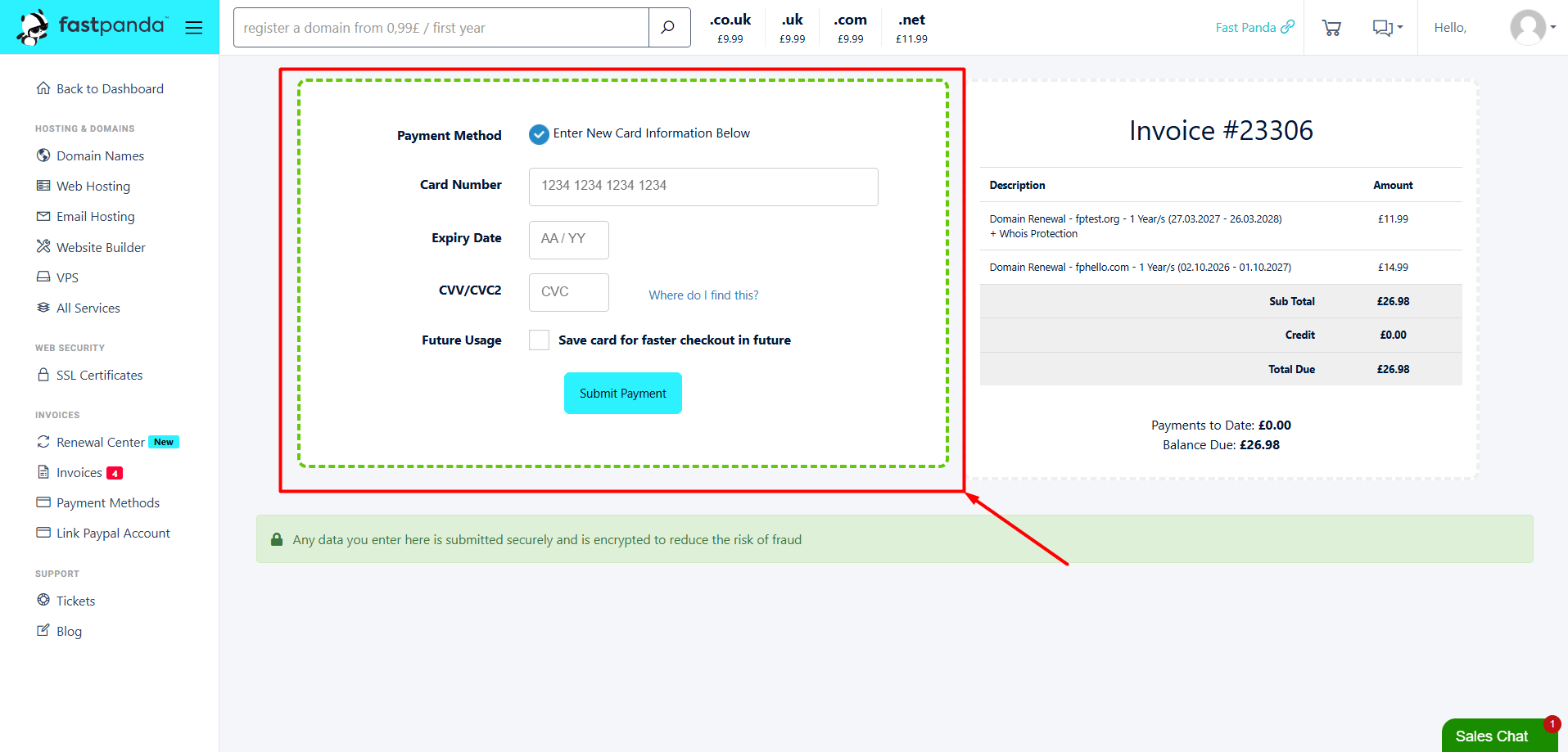
- On the payment page that opens, enter your card details to complete the payment. You can complete the renewal by paying the total amount for all selected services in a single transaction.
2. How to Perform Bulk Renewal through the Renewal Center?
The Renewal Center lists your services that are approaching their renewal date based on the remaining time, allowing you to renew multiple services at once. You can select different types of services at the same time. For example, you can select both your domain and hosting service and renew them in the same transaction.
To perform a bulk renewal through the Renewal Center:
- First, log in to the customer panel. Click here for more detailed information about logging in to the customer panel.
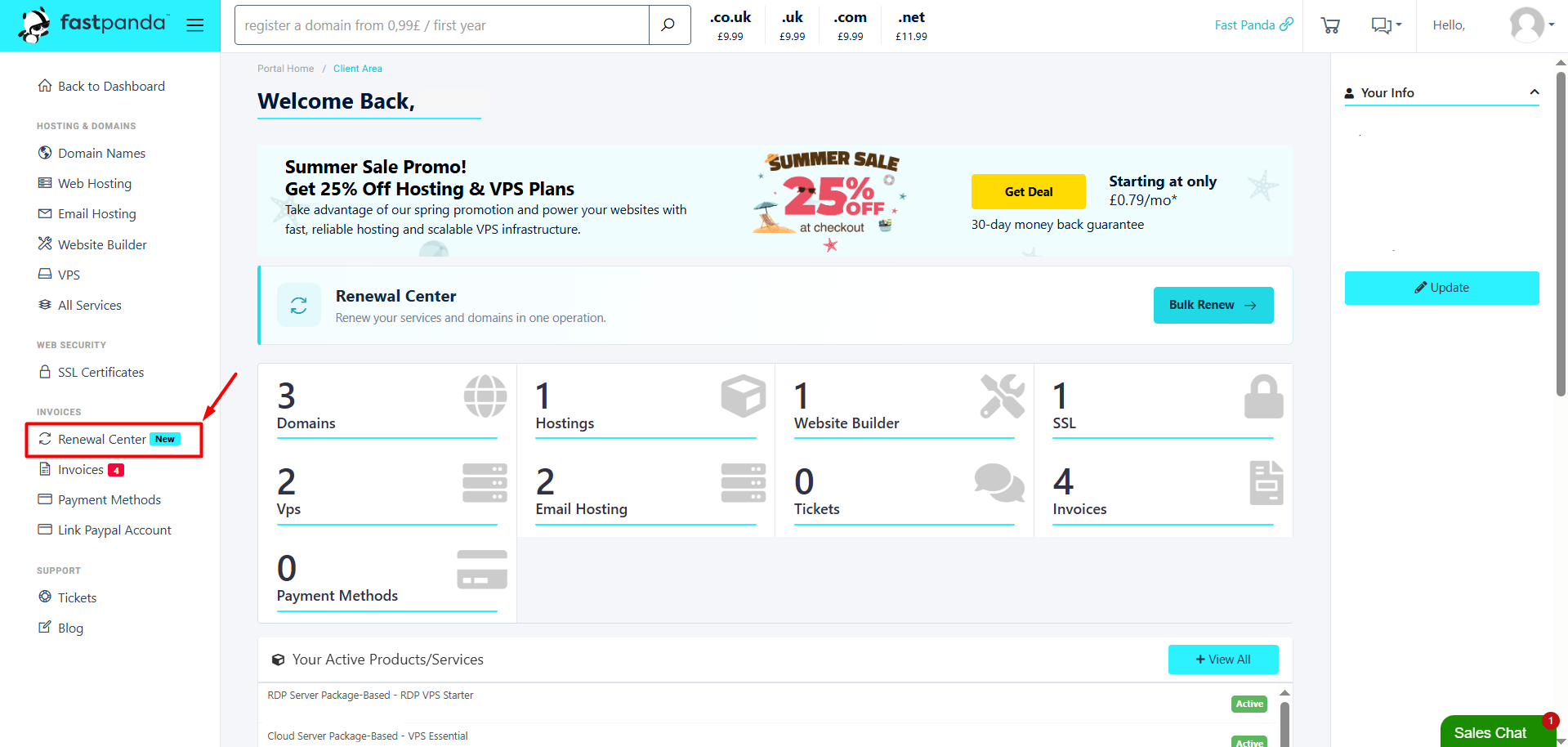
- Click on the “Renewal Center” option in the left menu.
- On the page that opens, select the remaining time for the services from the “Due within” field. You can choose from 1, 2, 3, 6, or 12 months.
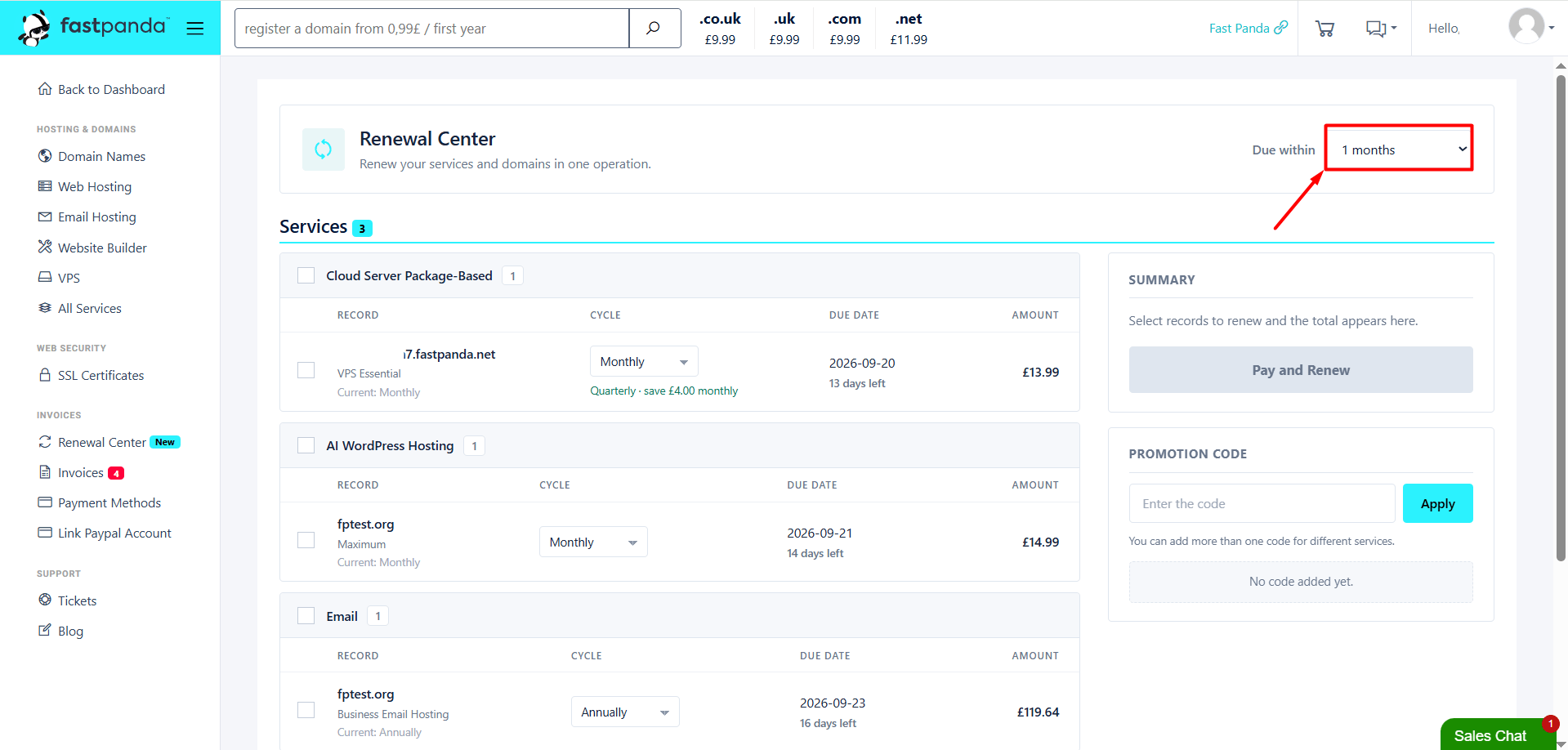
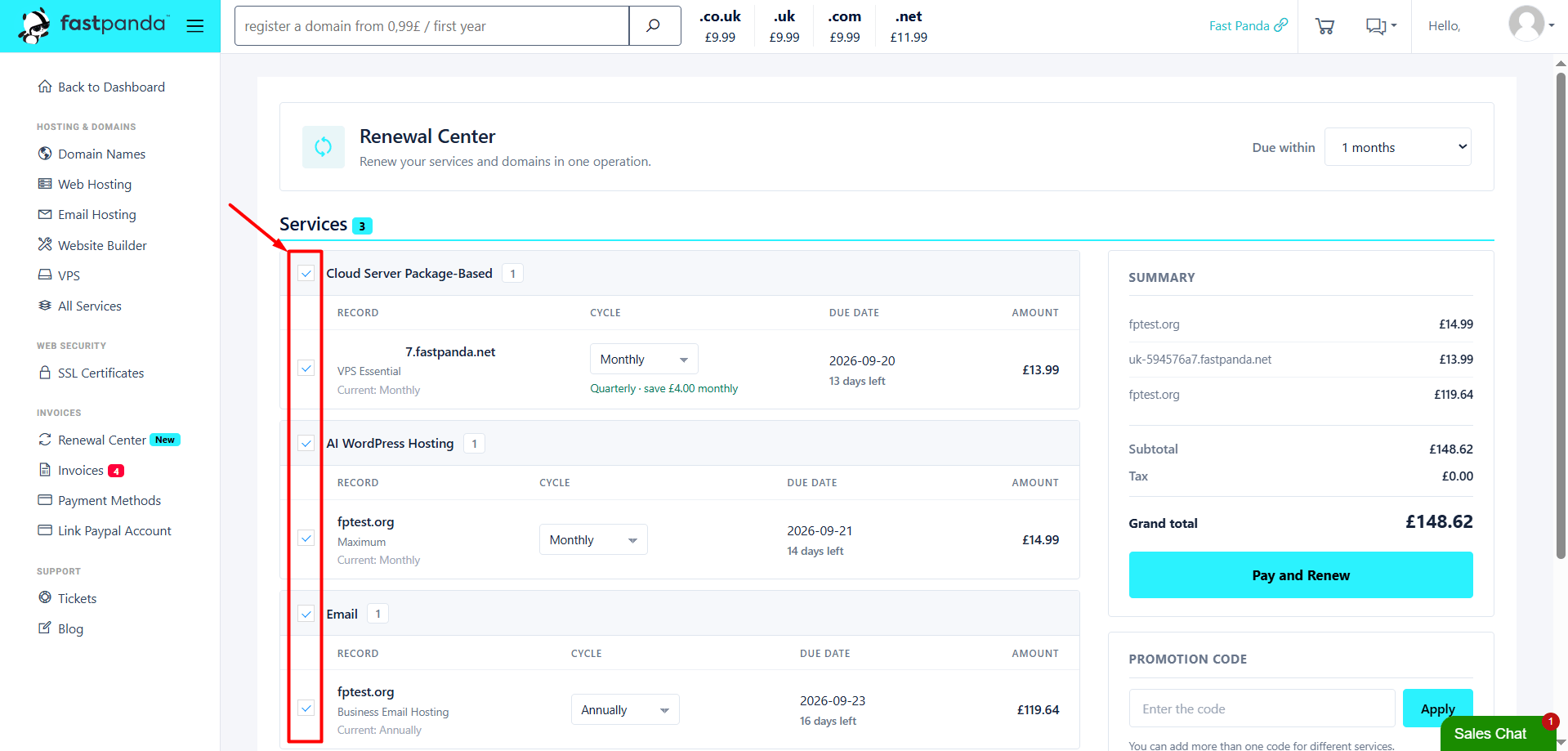
- Review the services listed based on the selected period. Select the checkboxes next to the services you want to renew. At this stage, you can select different types of services together, such as a domain and a hosting service.
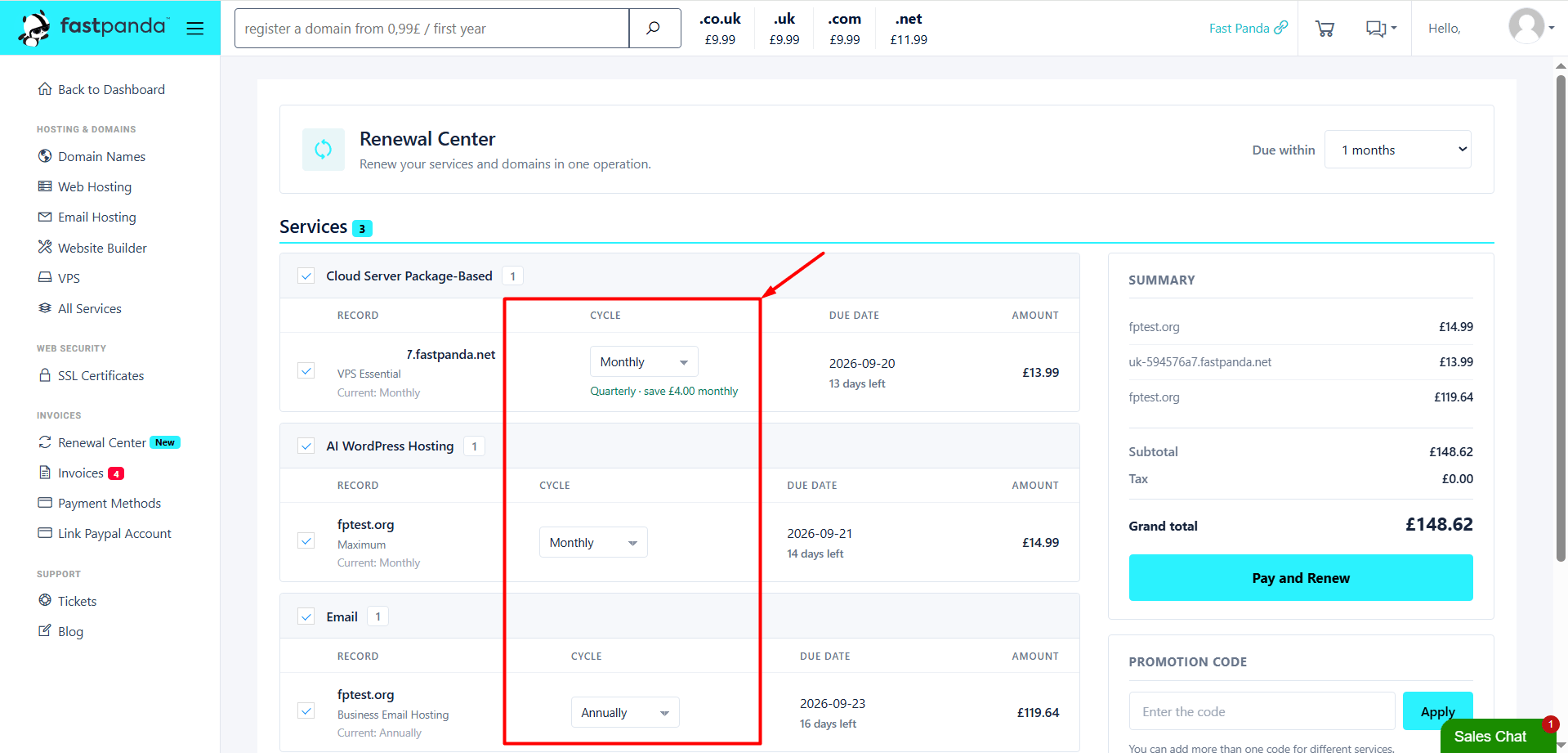
- From the duration options next to each selected service, choose the available renewal period for that service.
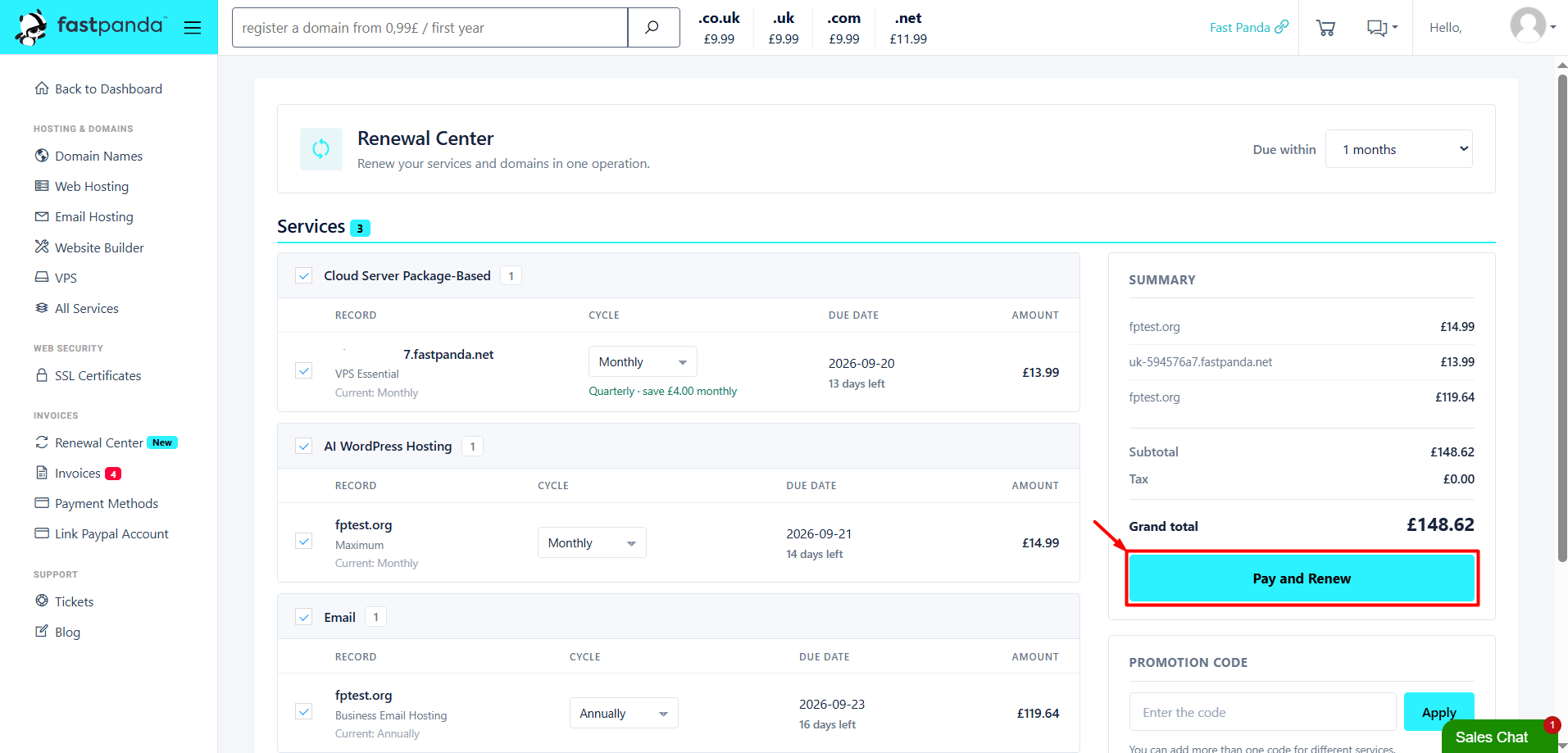
- If you have a promotion code, enter it in the “Promotion Code” section on the right side of the page. After checking all the information, click the “Pay and Renew” button.
- A confirmation window will appear with the message: “One invoice will be created for the records you selected, and you will be taken to the payment page. Continue?” To proceed to the payment page, click the “Yes, continue” button.
- On the payment page that opens, enter your card details to complete the payment. You can complete the renewal by paying the total amount for all selected services in a single transaction.