Create your WordPress site with AI in 60 seconds.




























When .co.uk domain names are purchased, verification of the domain owner’s contact information is mandatory. This verification process is automatically initiated as part of the domain registration procedure. After the domain name is purchased, a verification (confirmation) email is sent to the domain owner’s email address registered in the system. The contact information must be verified by using the link provided in this email.
For more details about the verification process, please see our article, “.co.uk Domain Name Owner Information Verification Process.”
Resending the Verification Email
- First, log in to the customer panel. Click here for more detailed information about logging in to the customer panel.
- Click on the “Domain Names” option in the left menu.

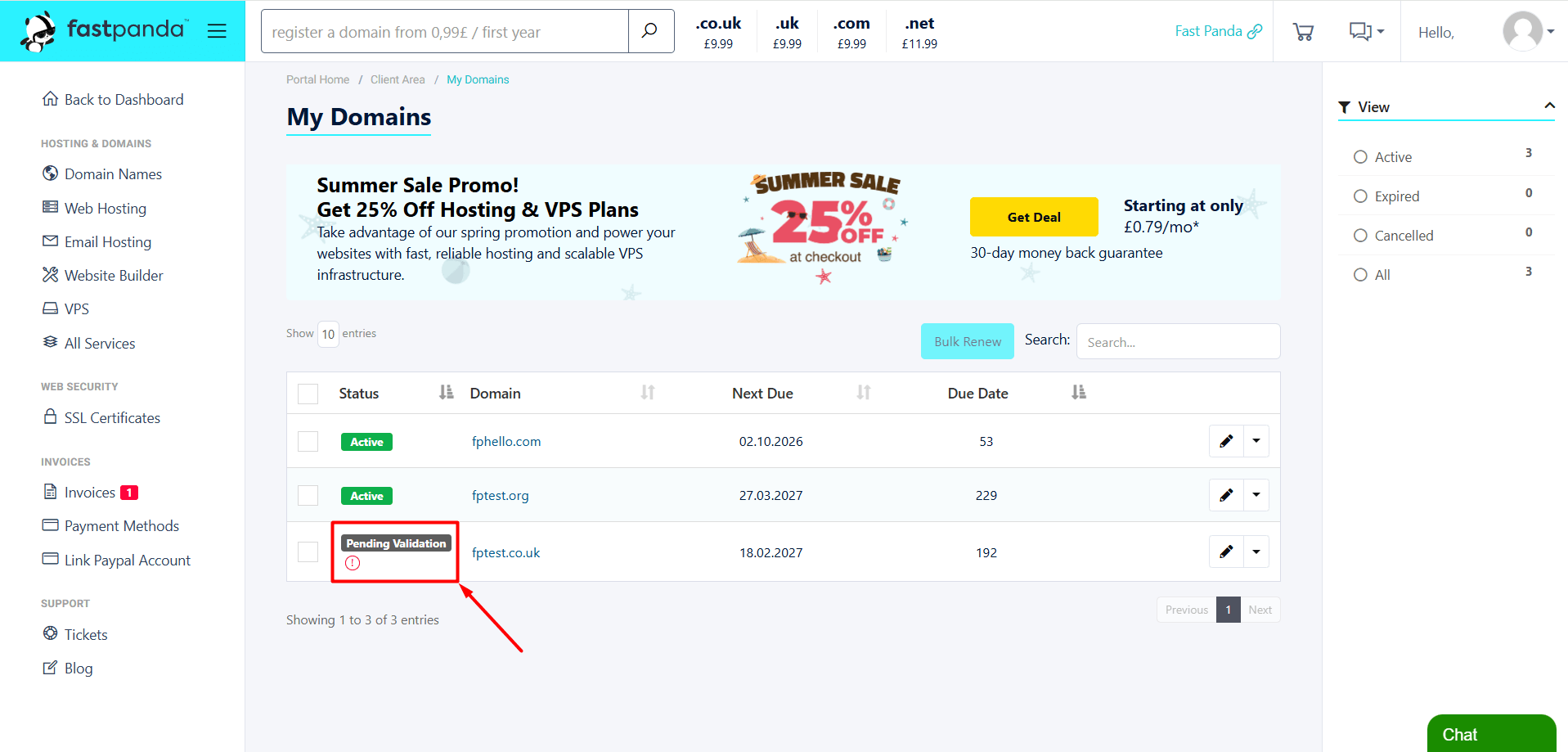
- On the page that opens, your registered domain names will be listed. You will see the “Pending Validation” status next to your suspended .co.uk domain name. Click on the status.
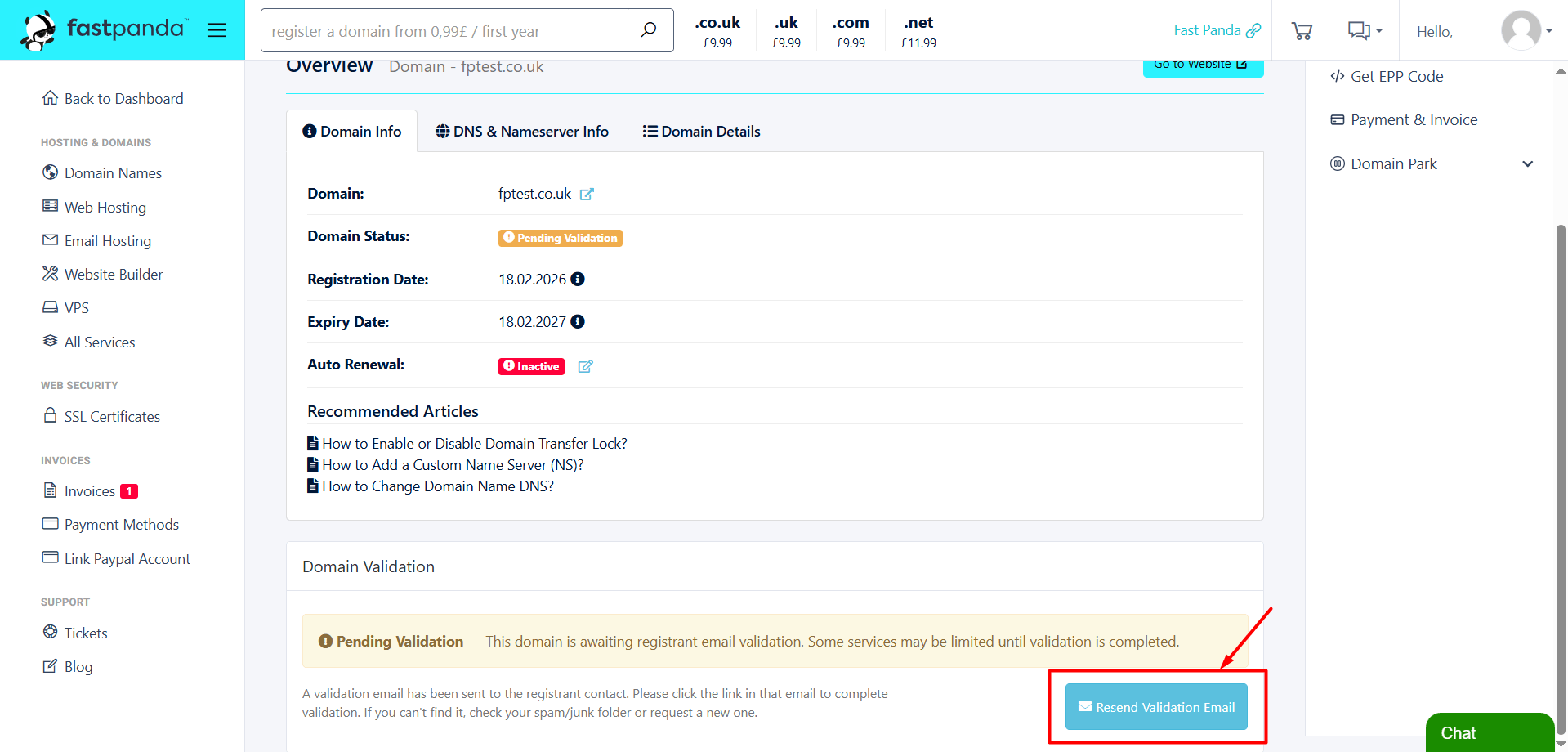
- At the bottom of the page that opens, click the “Resend Validation Email” button. After this, a new verification email will be sent to the email address listed in the WHOIS records. It may take a short while for the verification email to arrive. We recommend waiting for the email and checking your inbox periodically. If the email does not appear in your inbox, please also check your Spam, Junk, Promotions, and other folders.
- Once you receive the email, click the verification link provided in it and verify the domain owner’s contact information.