Create your WordPress site with AI in 60 seconds.



























With bulk renewal, if you own multiple domains, you can renew them all at once in a practical way instead of renewing each service individually. To perform a Bulk Domain Renewal, you can follow the steps below.
- First, log in to the customer panel. Click here for more detailed information about logging in to the customer panel.
- Click on the “Domain Names” option in the left menu.

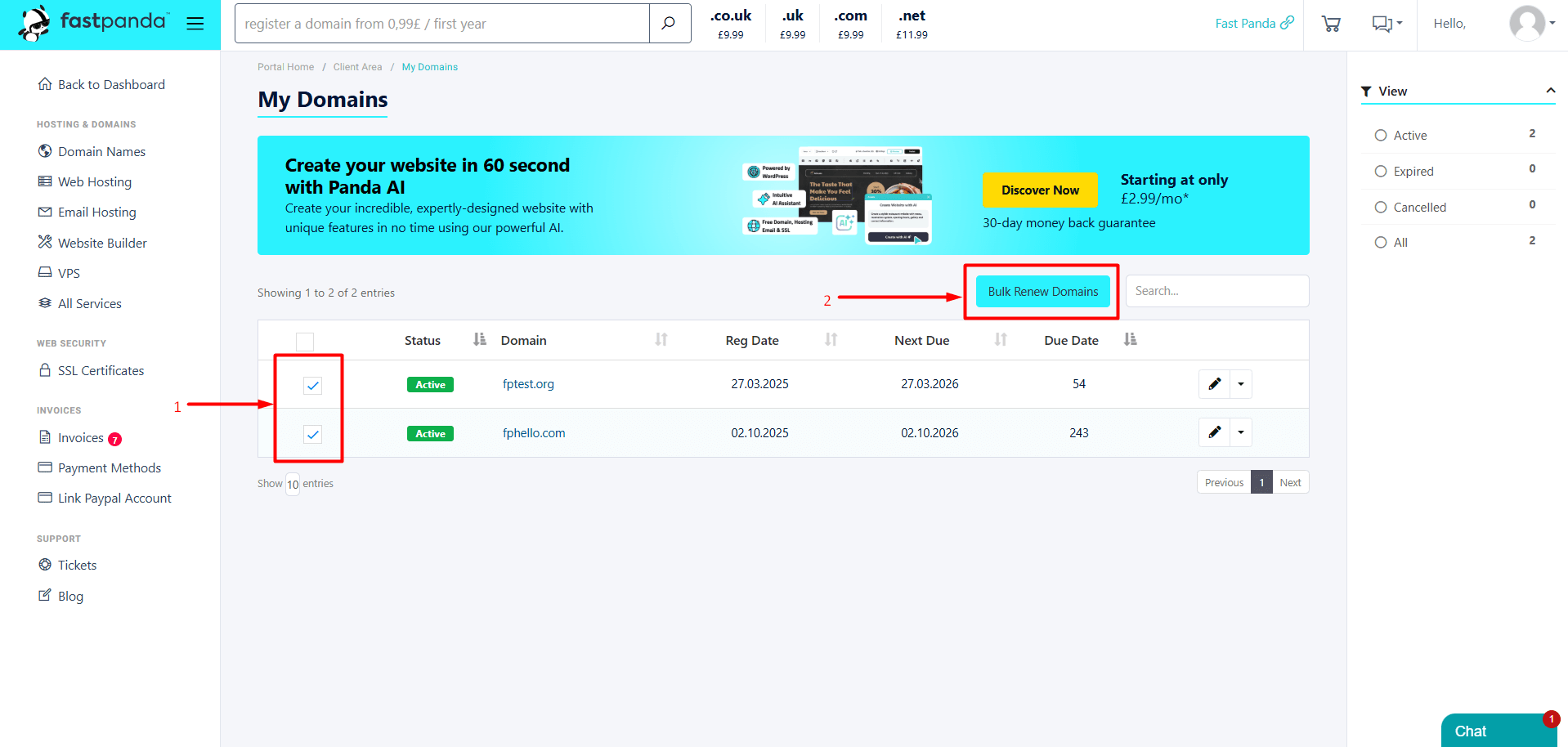
- On the page that opens, your domain names will be listed. Select the checkboxes next to the services you want to renew, then click the “Bulk Renew Domains” button.
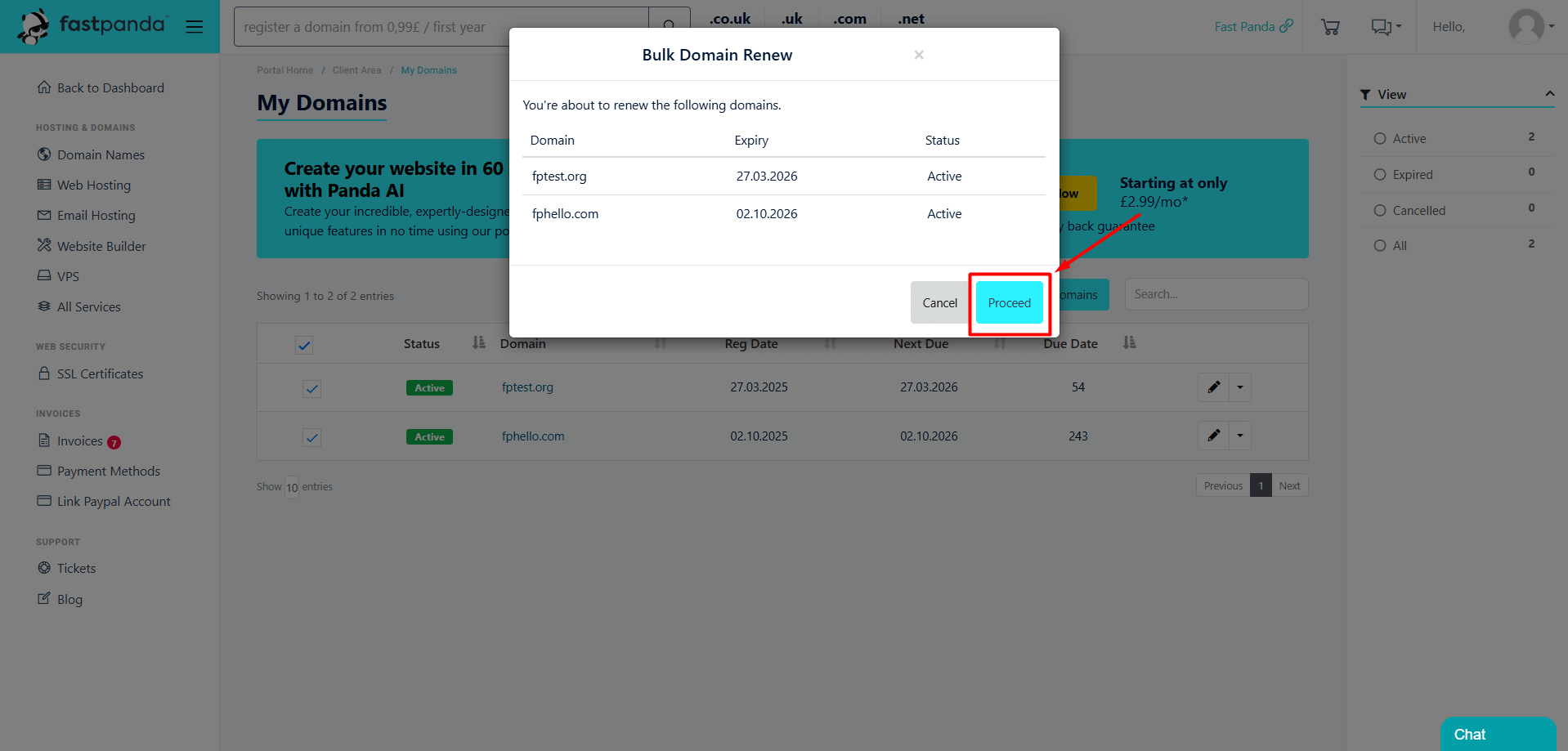
- A pop-up window will appear. The domain names you selected will be listed in this window. To continue, click the “Proceed” button.
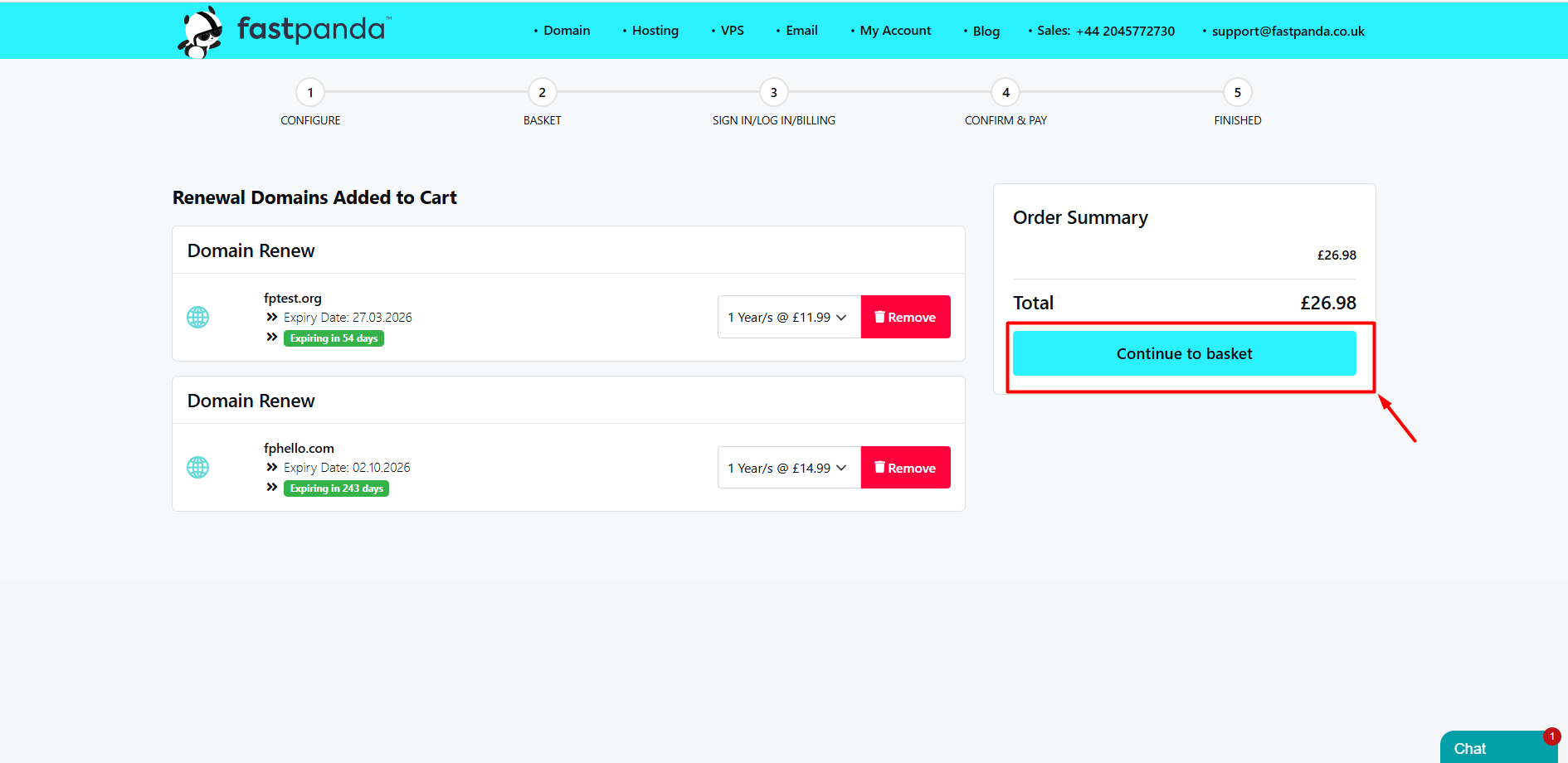
- You will see that the domain names have been added to the cart. Click the “Continue to Basket” button.
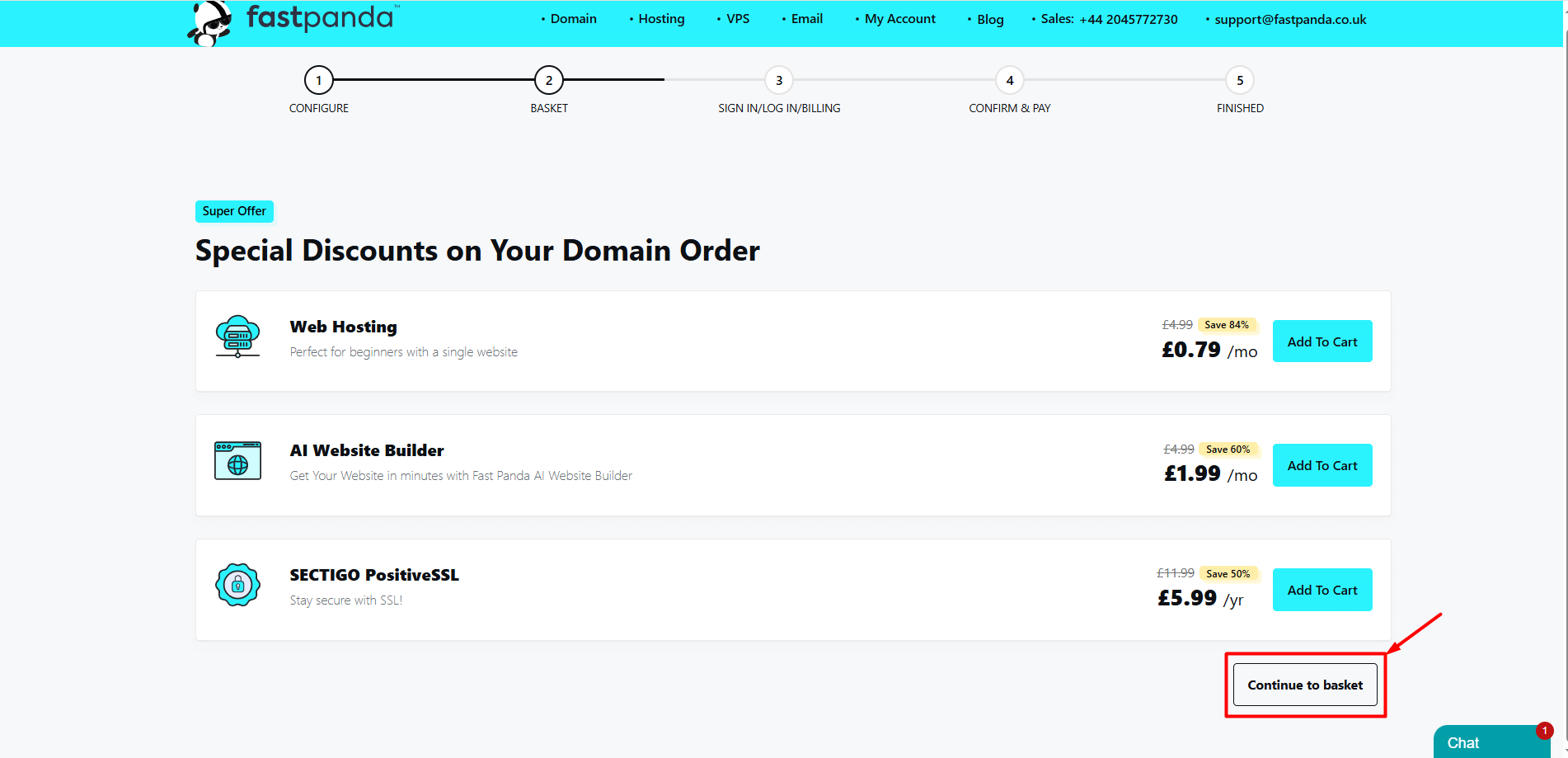
- On the page that opens, you may encounter special discounts for your domain order. At this stage, you can add any product or service you prefer to the cart, or click the “Continue to Basket” button to proceed with the cart.
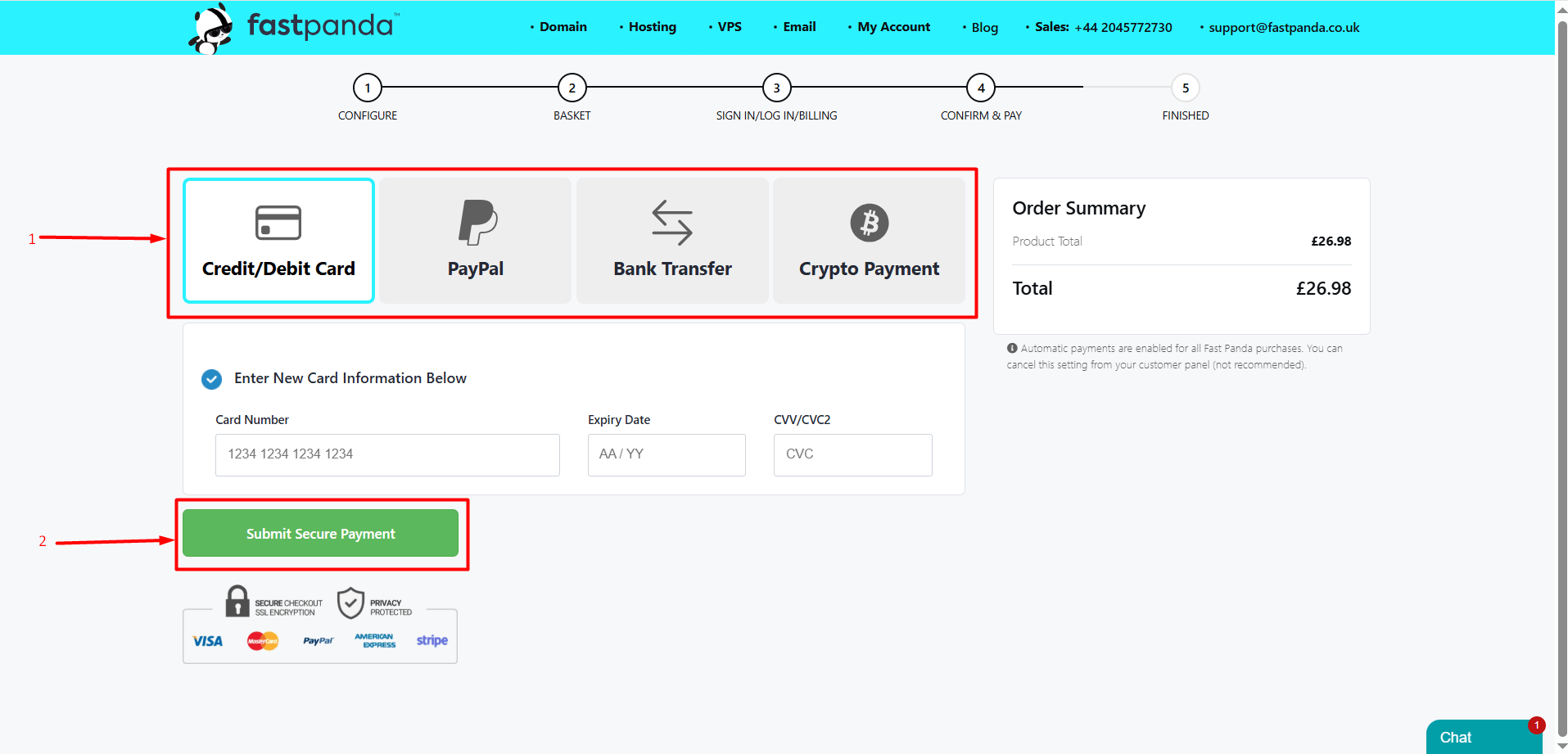
- Select your preferred payment method and click the “Submit Secure Payment” button. After completing the payment, the duration of your services will be extended.