Create your WordPress site with AI in 60 seconds.

























The hosting management page is the area where you manage the hosting service you purchased before accessing the hosting control panel (cPanel / Plesk). This page is located within the customer panel and allows you to manage your hosting service in general.
- First, log in to the customer panel. Click here for more detailed information about logging in to the customer panel.
- After logging in to the customer panel, click the “Web Hosting” button located in the left menu.

- On the page that opens, you will see your existing web hosting packages. Click the “Manage Product” button for the hosting service you want to manage.

- When you follow these steps, the management page for the relevant hosting service will open.
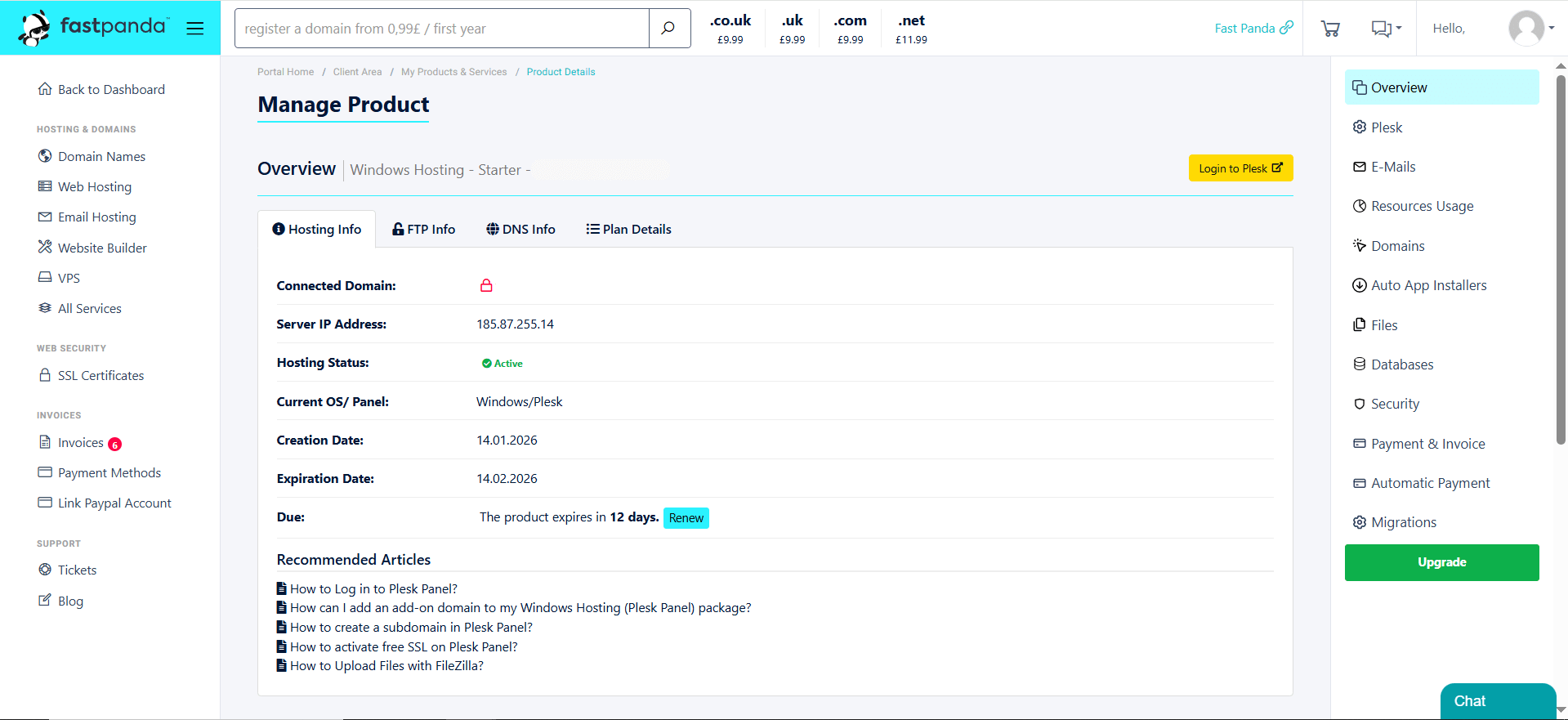
- Through the hosting management page that opens, you can view the details of your service, upgrade or renew your hosting package, access your FTP credentials, and easily manage basic settings. Additionally, depending on the hosting service you use, you can access management panels such as Ready Website, cPanel, or Plesk from this page.