Create your WordPress site with AI in 60 seconds.



























Invoice merging allows you to make a single payment by combining invoices created for multiple services or transactions into one invoice. If you have generated separate invoices for different services, you can merge them into a single invoice and complete the payment. To do this, you can follow the steps below.
- To merge invoices, first log in to the customer panel. Click here for more detailed information about logging in to the customer panel.
- Click on the “Invoices” option in the left menu.

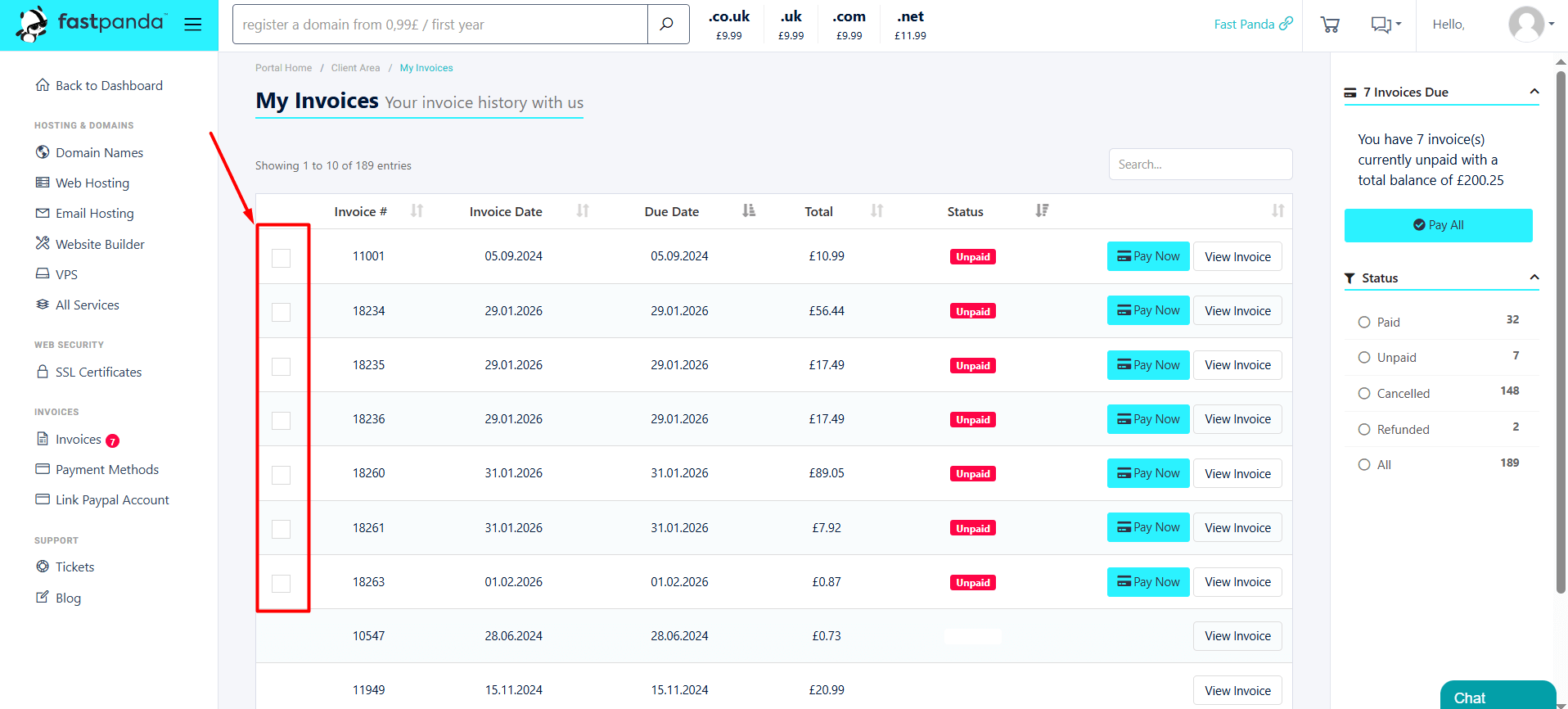
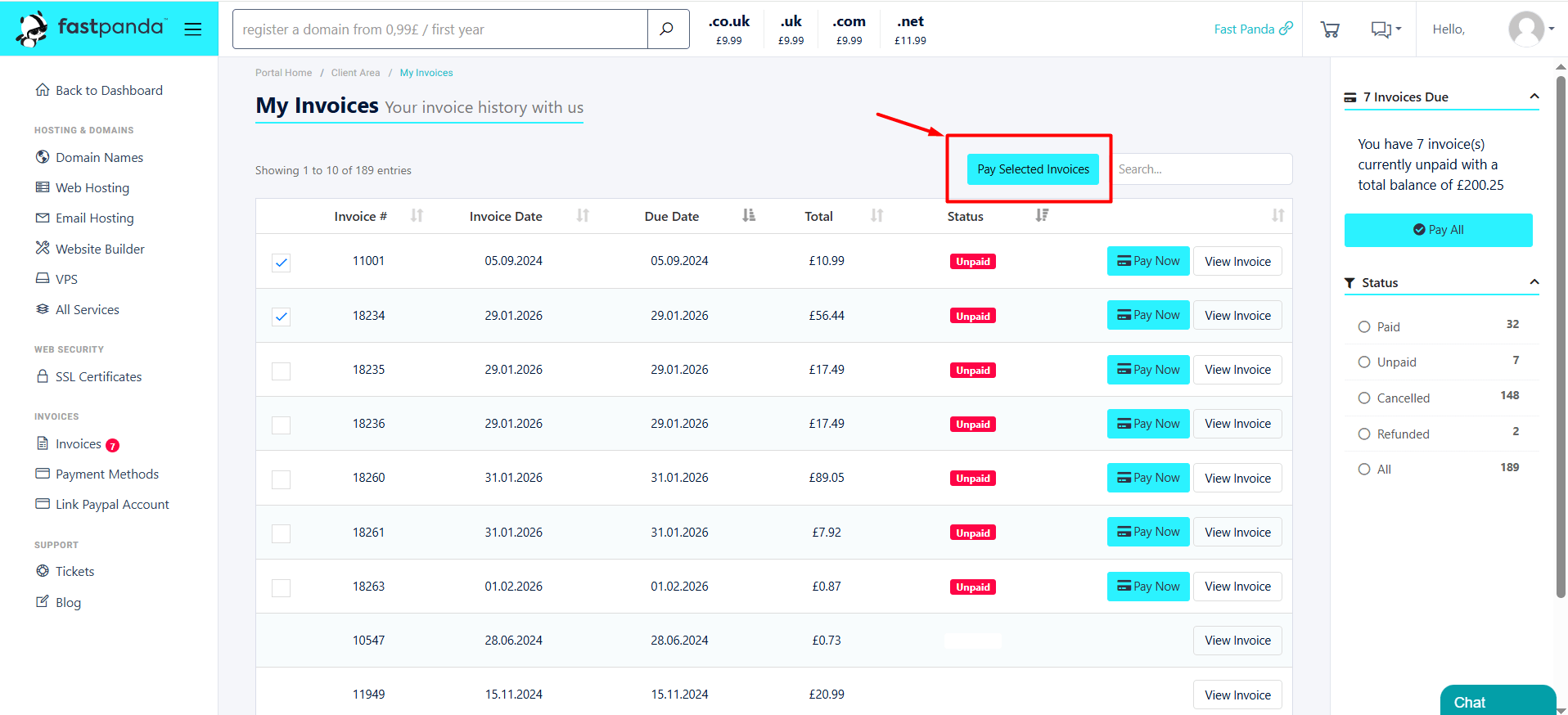
- On the page that opens, you will see all your invoices. Select the checkboxes next to the unpaid invoices you want to merge, then click the “Pay Selected Invoices” button.
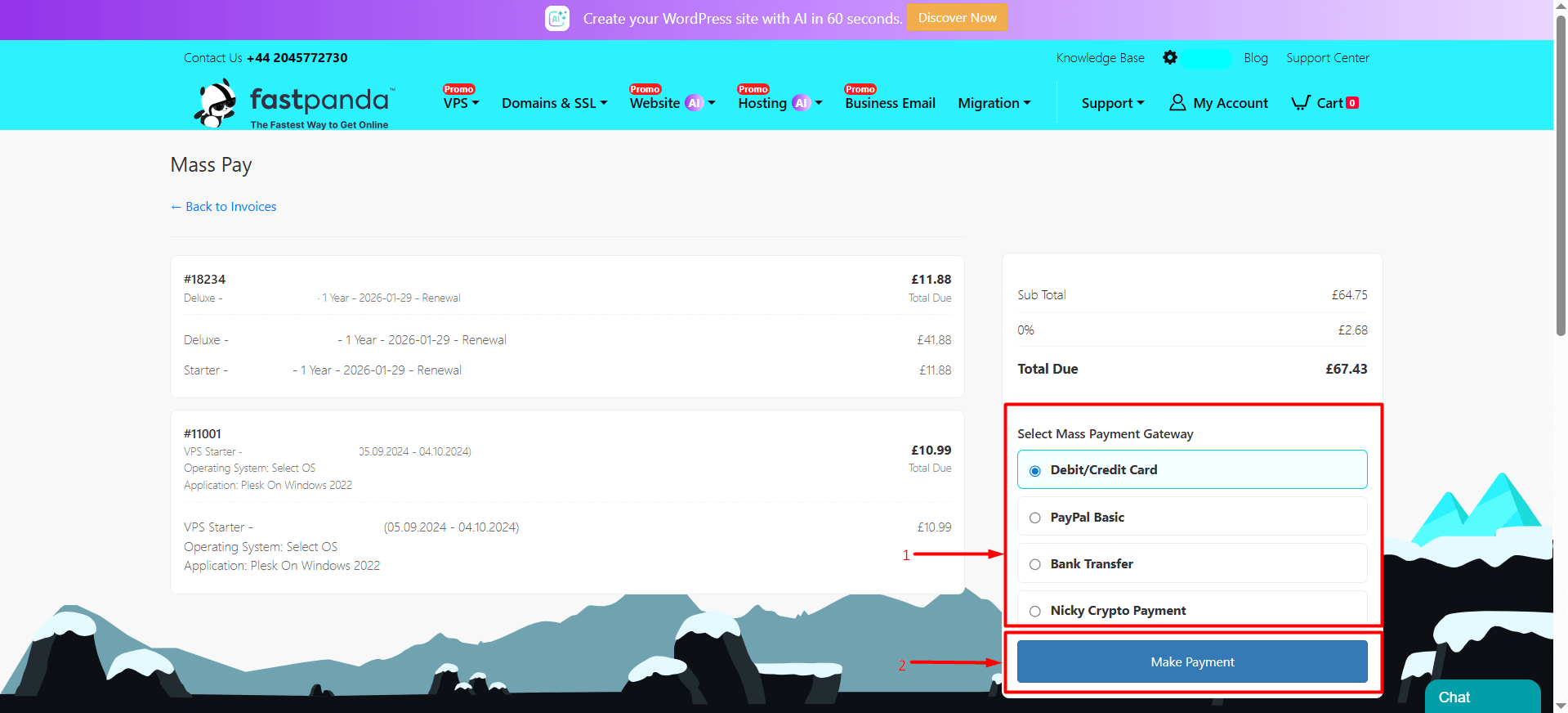
- On the page that opens, you can view the details of the merged invoices. From the “Select Mass Payment Gateway” section on the right side of the page, choose your payment method and click the “Make Payment” button.
- By following the steps above, you can complete the payment using your selected payment method. After the payment is completed, your services will be activated.